1 The menu
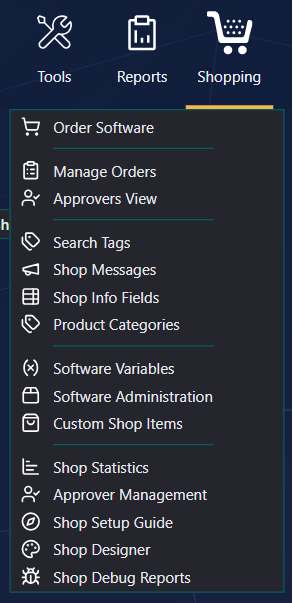
2 The pages
| Page | What it is for |
|---|---|
| Order Software | Opens the shop in a new tab — the new or the classic one, following the rollout switch. |
| Manage Orders | Every order waiting for approval; approve or decline for anyone, and see the full order history. |
| Approvers View | The orders waiting for you as an approver, and the history of the orders you decided. |
| Search Tags | Words that help shoppers find applications by what they do. |
| Shop Messages | Messages at the top of the new shop. |
| Shop Info Fields | Your own rows in the application details. |
| Product Categories | The categories shoppers browse by. |
| Software Variables | Questions shoppers answer before ordering: text, checkboxes, drop-downs and more. |
| Software Administration | The packages and applications in the shop: names, descriptions, icons, prices, translations, approvers, variables and custom actions. |
| Custom Shop Items | Orderable items that are not software, for example temporary local administrator rights for two hours. |
| Shop Statistics | How much the shop is used. |
| Approver Management | Who approves what; set a temporary approver, or replace one who leaves. |
| Shop Setup Guide | A step-by-step guide to who can order what. |
| Shop Designer | The colours and logos of the new shop. |
| Shop Debug Reports | The reports shoppers send when something looks wrong. |
Depending on your setup and role there can be more, such as External Shop Items.