1 The list
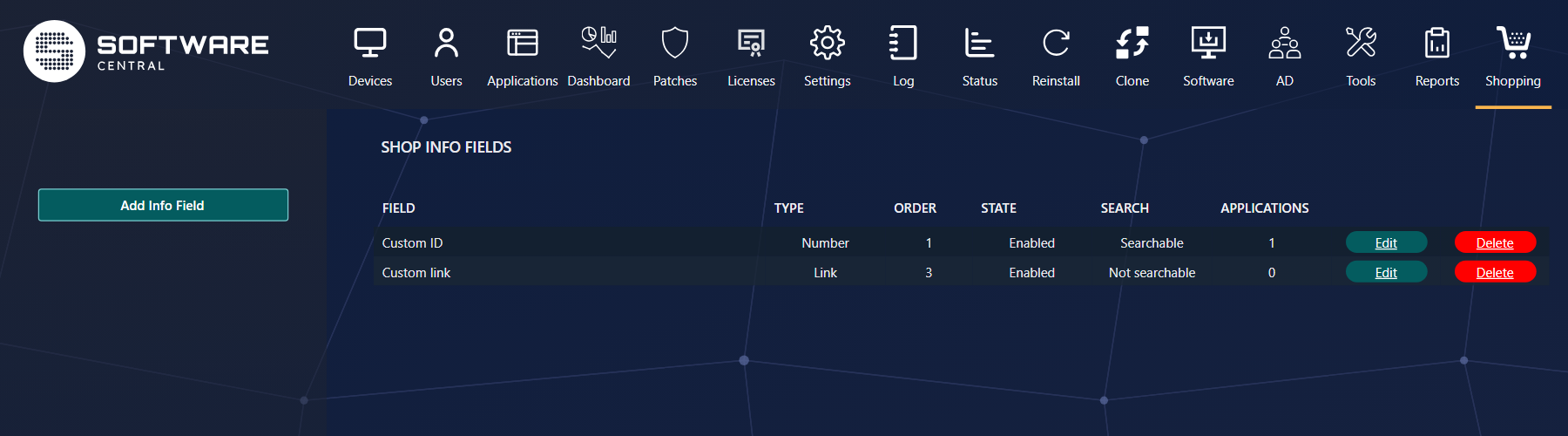
Each row is a field, with its type, its place in the order, whether it is switched on, whether search looks at it, and how many applications have a value for it.
2 Defining a field
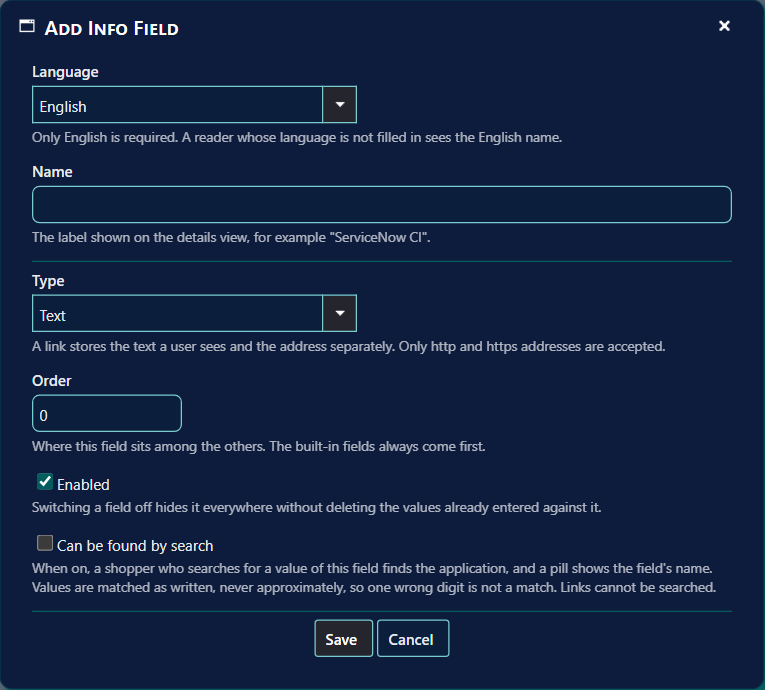
| Field | What it does |
|---|---|
| Language, Name | The label in the details, per language. Only English is required; other languages fall back to it. |
| Type | Text, Number, or Link — a link has a text shoppers see and an address. Only http and https addresses are accepted. |
| Order | Where the field comes among your fields. The built-in rows (price, contacts, version…) always come first. |
| Enabled | Switch a field off to hide it everywhere, without losing the values. |
| Can be found by search | A shopper who searches for a value of this field finds the application. Links cannot be searched. |
3 Filling in the values
Open an application's shop settings (Shop Administration) and go to Additional Information. Every enabled field has a row there. An application with no value for a field simply does not show that row, and clearing a value removes it.
4 What shoppers see
| Where | What |
|---|---|
| The details | A row per field that has a value, after the built-in rows. A link opens in a new tab. |
| Search | For searchable fields, a match shows a tag with the field's name on the card and in the suggestions; pointing at it shows the value. |
Search matches values as written
Search does not forgive typing mistakes in info fields: it finds the whole value, or a value that starts with
or contains what the shopper typed, so one wrong digit in a number is not a match. That is on purpose, for
numbers such as a CI or a licence number.
Changes appear in the shop within about a minute and a half.