The new Shop is here
The rebuilt Shop, approvals page and My Account are part of this release. They run beside the shop you use today, on the same applications, approval flows and orders, so there is nothing to move and nothing to migrate. Find any application, even one you cannot name. Order it in one basket. See who it is waiting on. In your organisation's colours, in six languages, light or dark.
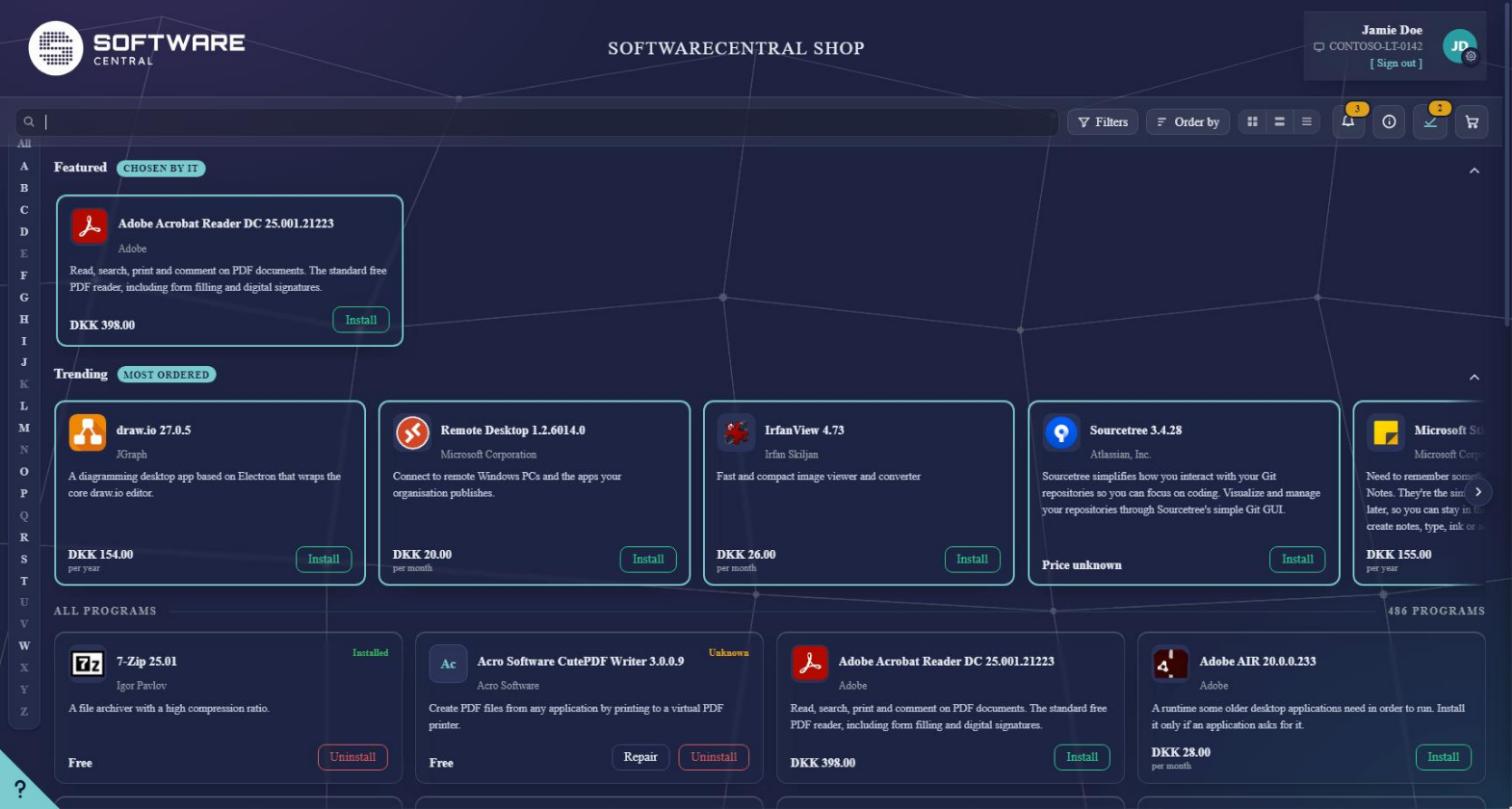
You decide who gets it
Nobody gets the new shop until you say so. Choose a pilot group in Settings, and move everyone over with one tick when you are happy. Your users keep the addresses they use today, so links, menu buttons and bookmarks all keep working.
Finding software you cannot name
The search forgives typos, works in every shop language, and finds applications by what they do through search tags, with 100 of them included.
Knowing where an order got to
A bell tells the user when an order is approved, declined or waiting, and My Account shows who each order is waiting on. Approvers get a new approvals page where they decide several orders at once.
Your shop, in your colours
Build colour themes in the Shop Designer with your own logo, and write messages from IT for exactly the people who need them.
See everything that is new. The new Shop page walks through all of it, and the help explains how to start a pilot.
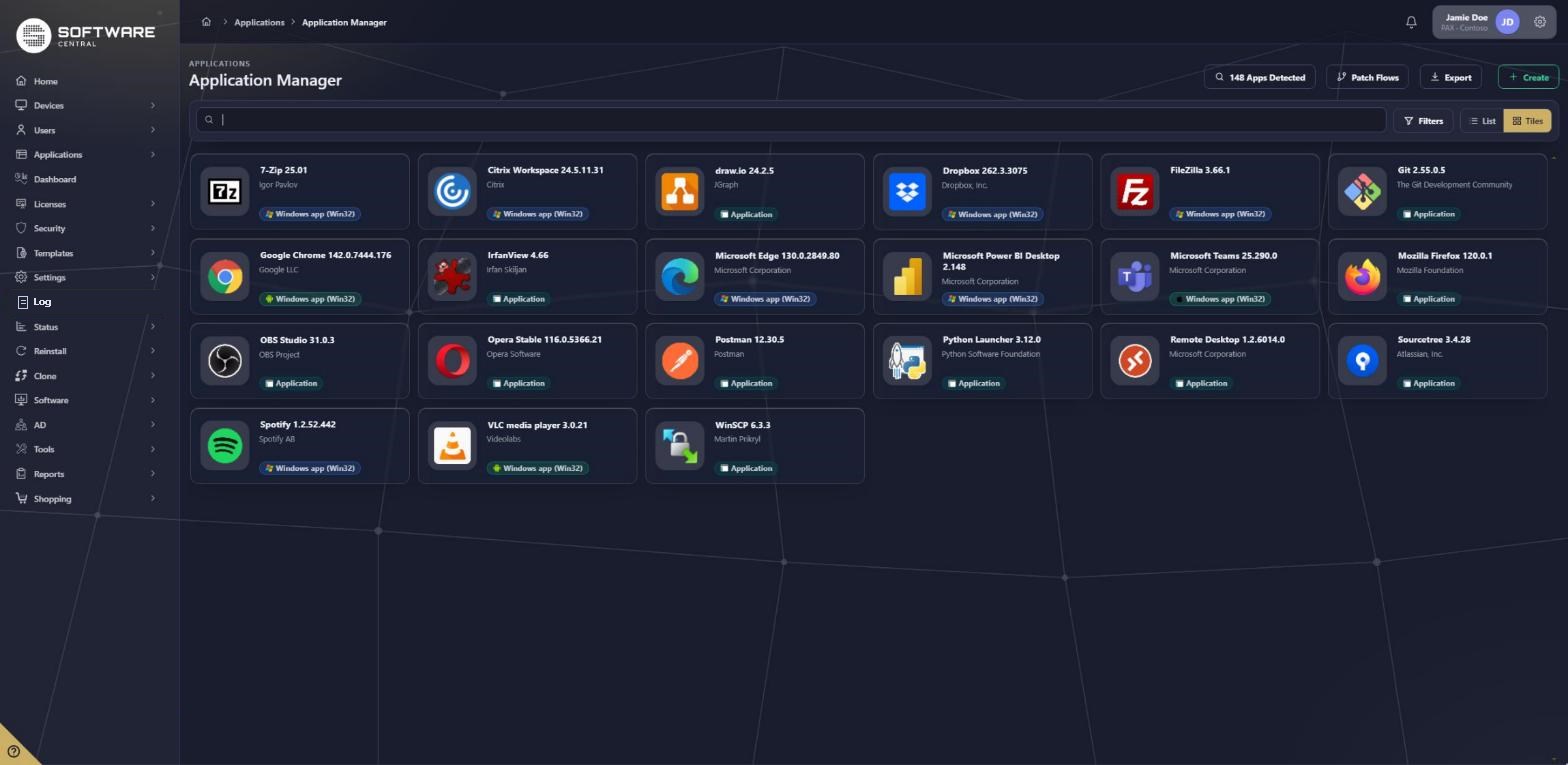
Robopack, rebuilt on the Application Manager
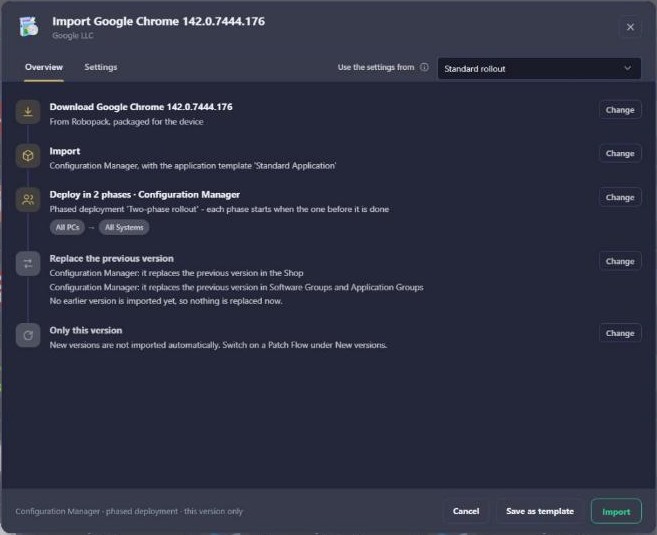
The Robopack page now uses the Application Manager, with tiles or a list and the same search. Importing an application is a new, simpler window that tells you in plain words what will happen: what is downloaded, where it goes, who gets it and what happens to the version before. Change only the part you need, and tick Create a Patch Flow to keep it up to date from then on.
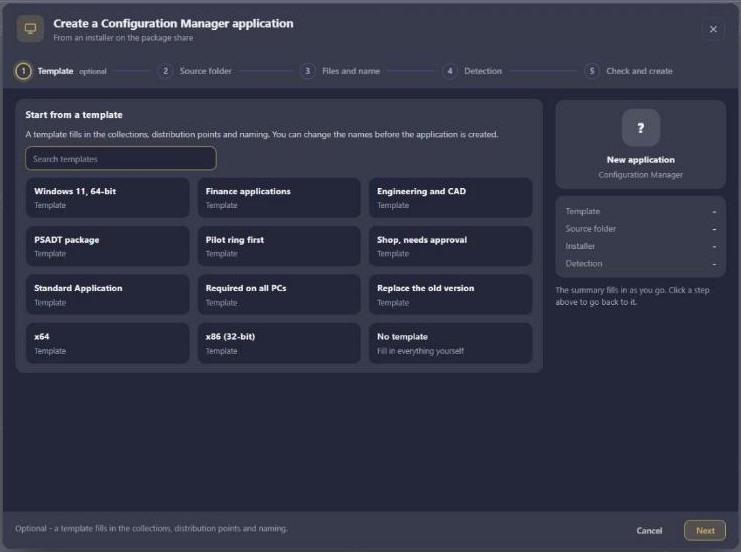
Create and deploy, step by step
Create application and Deploy Software are now step-by-step wizards for Configuration Manager and Intune. Start from a template, and a summary beside the steps fills in as you go, so you see what will be created before it is. SoftwareCentral suggests the name from the PSADT script, the MSI or the installer, and skips the detection step when the package already has its rules.
Why did that install fail?
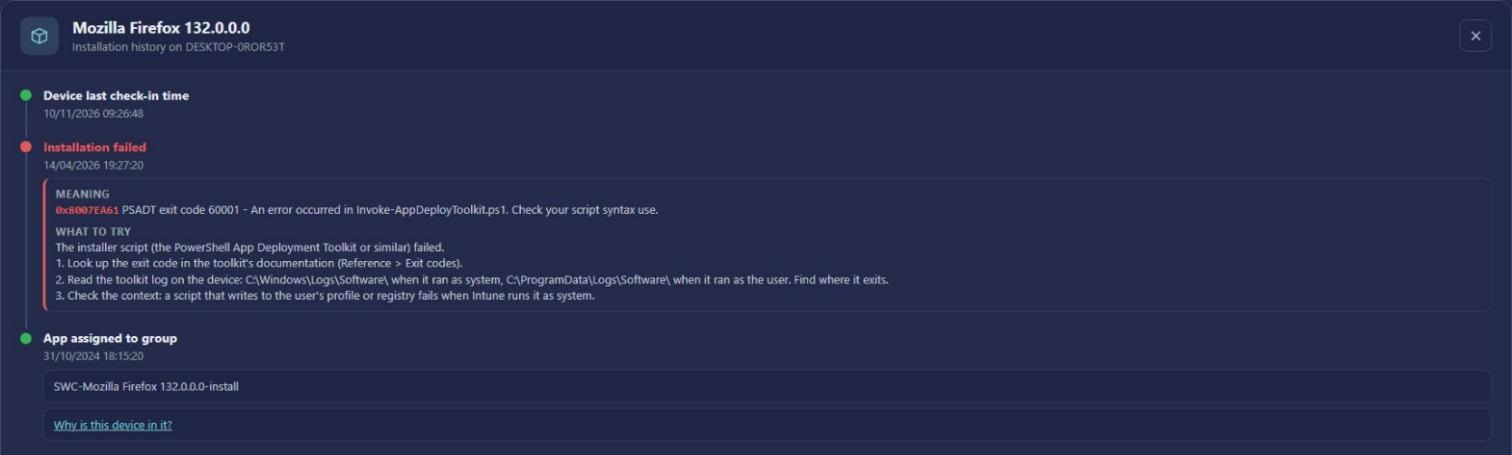
A failed install no longer leaves you with a long number to look up. SoftwareCentral explains what the error code means and what to try, for Win32 apps, MSI, PSADT and Intune itself. Each device in the installation status opens its own installation history, so you can follow one device from the first attempt to the last, and see which groups the app was assigned through.
Why is this device in that group?
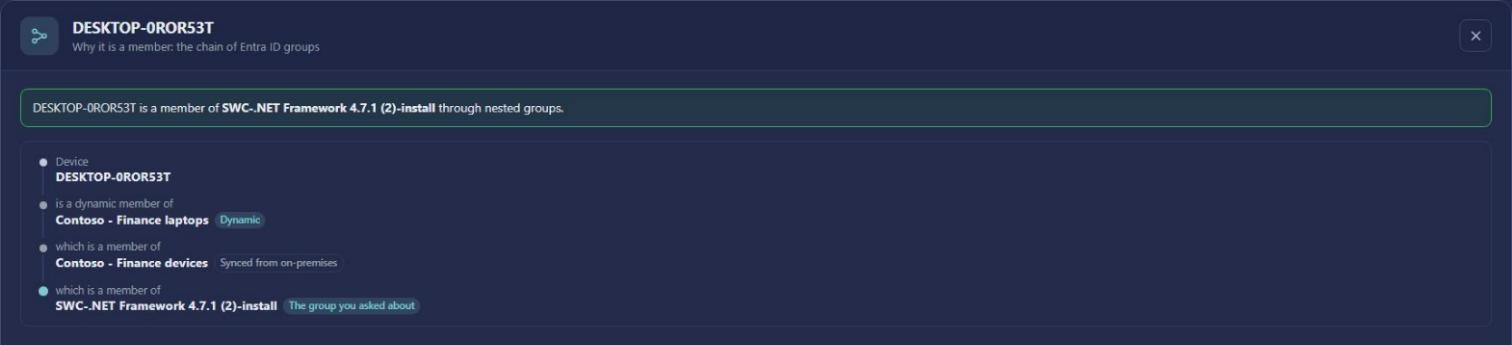
Group memberships in Entra ID are often nested, and then nobody can quite say why a device or a user is in a group. Now SoftwareCentral can: open a group on the Groups tab in Device Manager or User Manager, or click Why is this device in it? in the installation history, and you see the chain of groups that put it there.
More in Device Manager
Start Microsoft Remote Help on an Intune Windows device or Cloud PC with one button. Rotate a BitLocker key or a local admin password from the device's tab, with a right of its own so you decide who may do it.
Search tags that suggest themselves
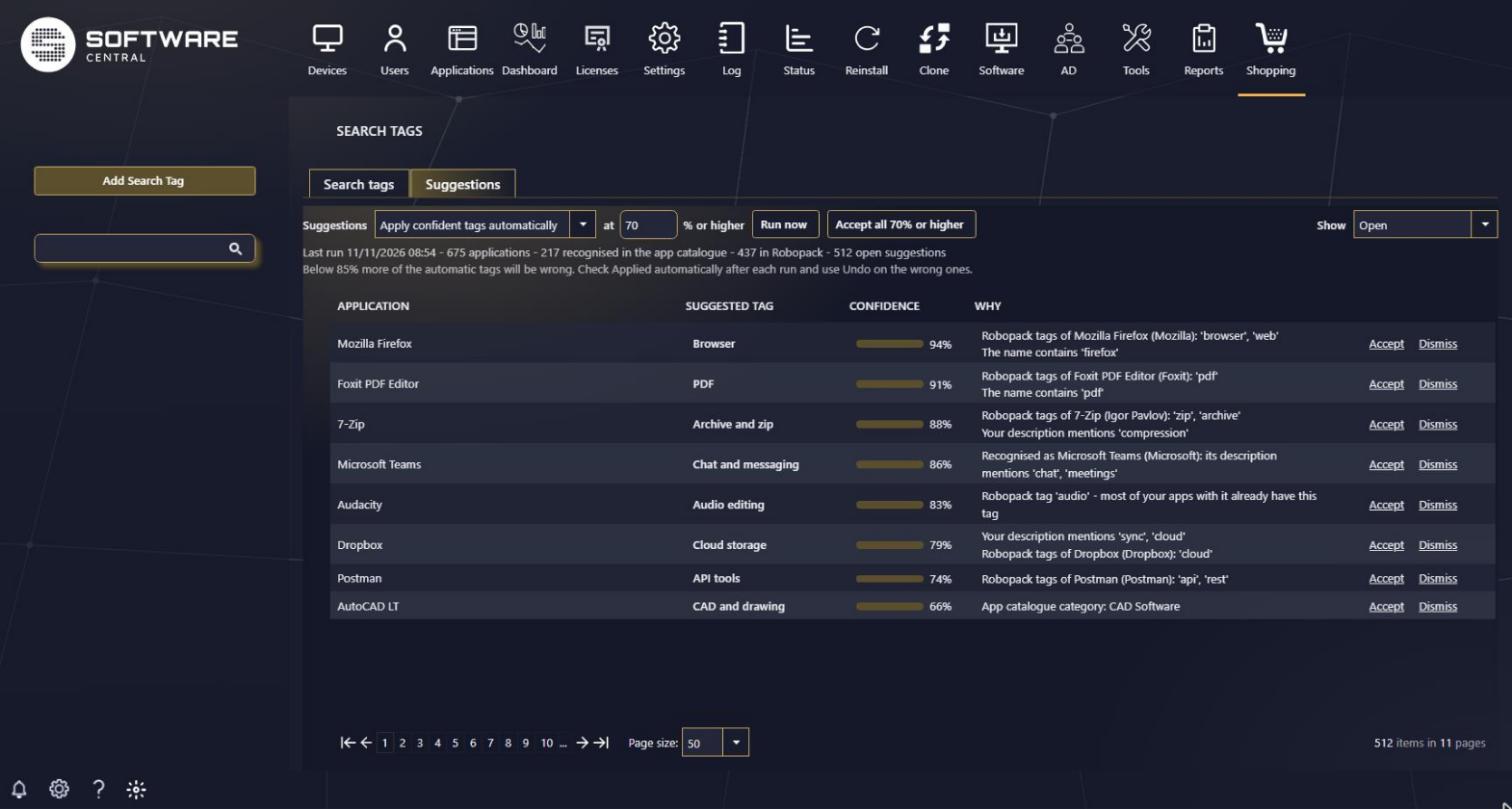
Every night SoftwareCentral looks at your new and changed applications and suggests the search tags that fit, each with a confidence and the reason. Accept or dismiss them, accept everything above your own percentage, or let the confident ones be added automatically, with Undo. With Robopack, the catalogue's own tags help as well.
And a lot more
Detected apps count each device once and match Robopack better, Mend Packages can select from a CSV file, application templates, security roles and package security groups have new windows, and calls to Intune now try again when the network drops. On top of that come more than 40 fixes, from the log to Manage Software. The full list is in the release notes.
Coming next: a new look for all of SoftwareCentral
We are working on a new design for the whole of SoftwareCentral, planned for the first quarter of 2027: a menu at the side, a start page that shows what changed since your last visit, and the same structure on every page. Some windows already have it in this release. See what is coming, and if you would like to help shape it, write to us at support@softwarecentral.com.