
New in SoftwareCentral 26R4.1
The new Shop. Built around the person ordering.
Find any application, even one you cannot name. Order it in one basket. See who it is waiting on. In your organisation's colours, in six languages, light or dark.
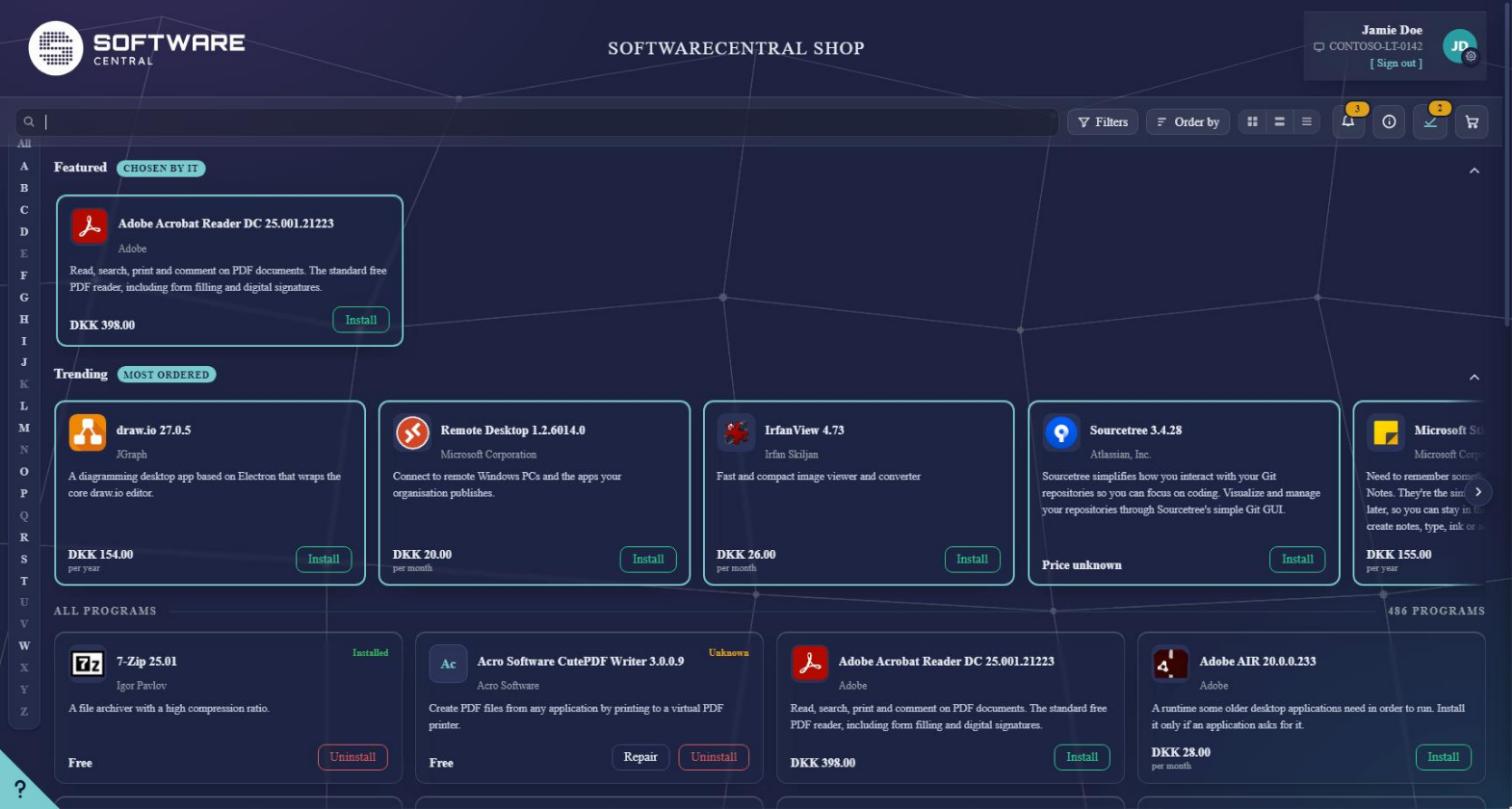
How much changed
Not a new coat of paint.
A new Shop, on the data you already have.
Every page your users see was rebuilt: the catalogue, the basket, My Account and approvals. Your packages, categories, approval flows and order history stay exactly where they are.
Look for New on this page: it marks what the Shop you have today cannot do.
The same catalogue, before and after
Drag across the picture.
Finding an application
Type what you need.
Not what the vendor called it.
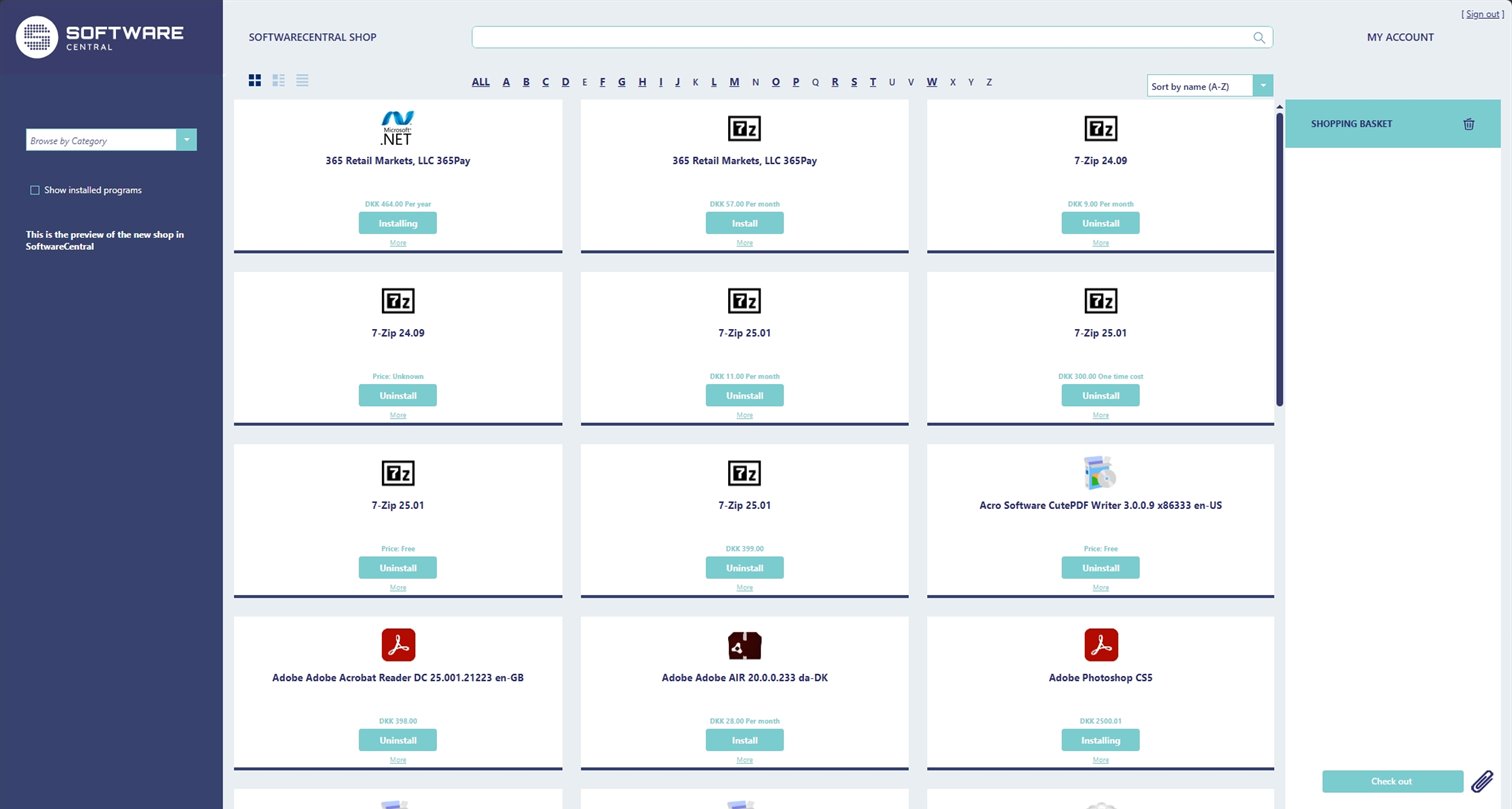
People search for "browser", not "Mozilla Firefox". They mistype, and they type in their own language. The new search meets them halfway, and it runs entirely on your own server.
A search that forgives.New
Try one of the searches on the right. Each one finds what was meant, and the result says why it matched.
- Typos are forgiven: frefox finds Firefox
- Search tags match every language at once
- Æ, Ø and Å handled on purpose
- The name counts most, then tags, then the description
A sample catalogue. Your own catalogue and tags decide the results.
Search tagsNew
Find software you cannot name.
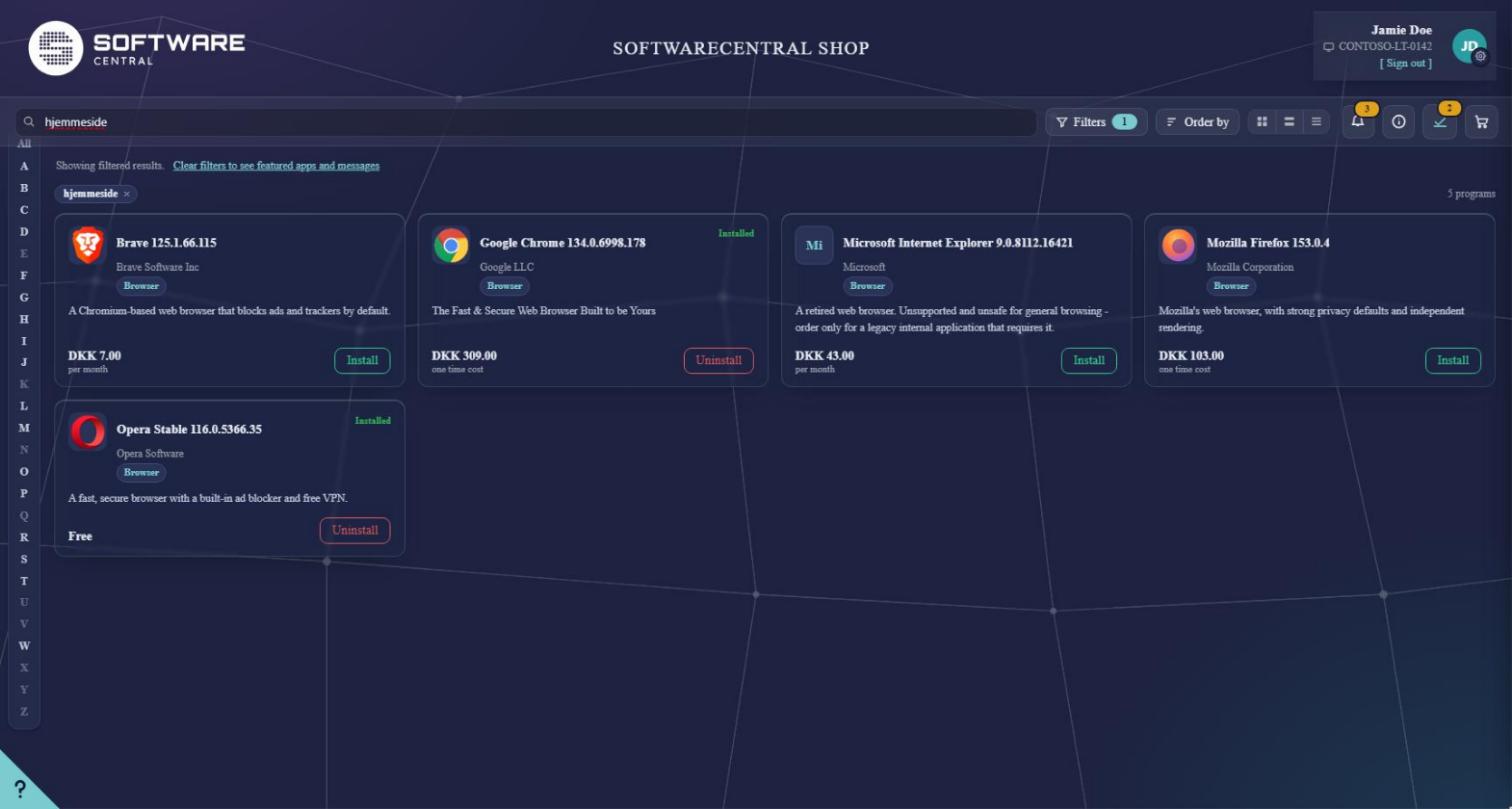
A search tag is a label with keywords in every shop language. Tag Firefox, Chrome and Edge as "Browser" and a search for "internet" finds all three, with a small pill on each saying why.
- 100 tags ready-made, in all six languages
- Suggested for your apps every night
- Your own words for your own software
Suggestions, filters and views
The shortest way to the one you want.
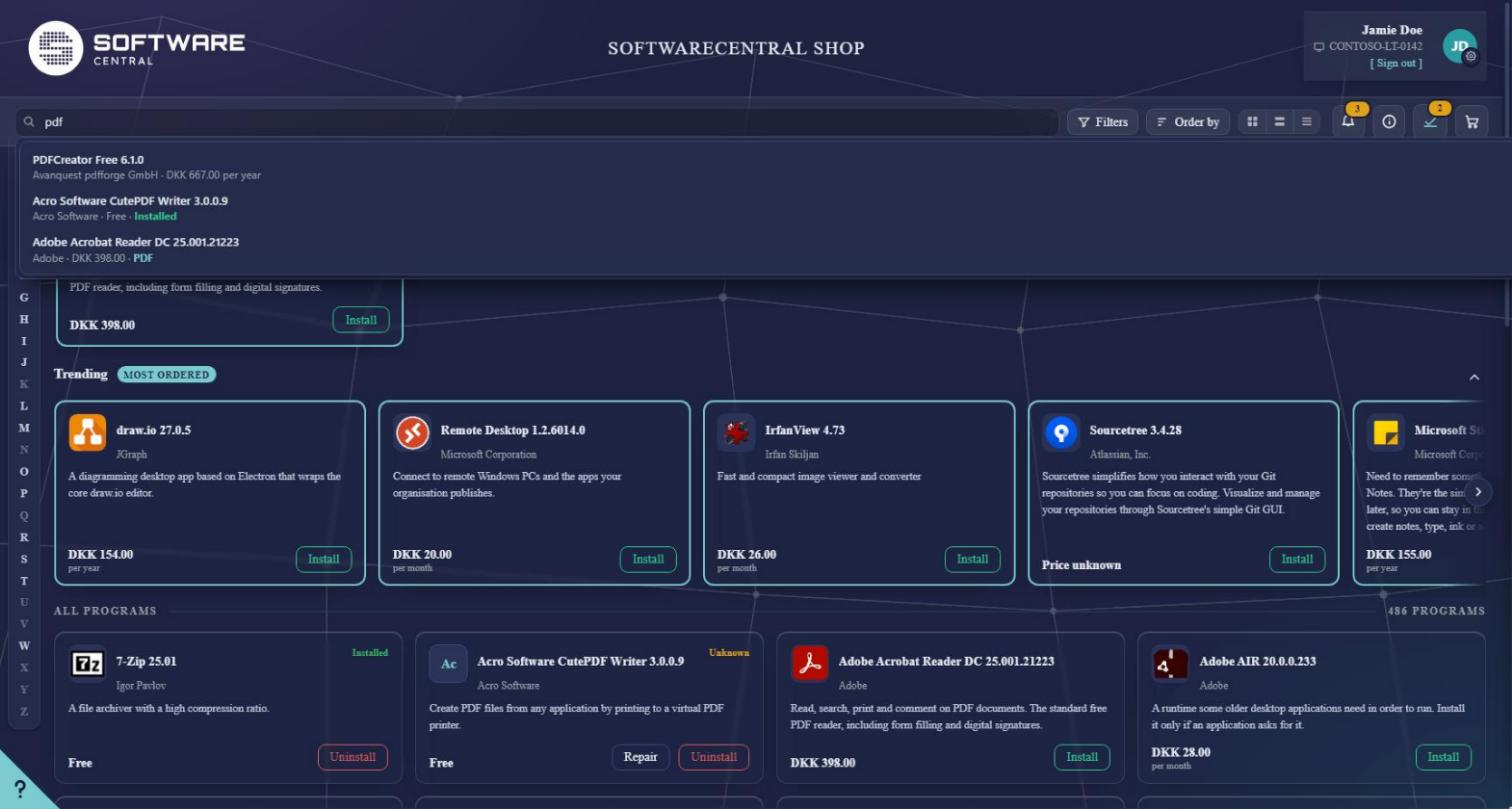
Suggestions appear as you type, with the price and whether it is already installed. Every filter sits in one panel, an A–Z strip jumps by name, and each person picks how the catalogue looks.
- Suggestions while you type New
- Trending and featured apps on the front page New
- Gallery, Standard or List, remembered per person
- Category, manufacturer and more in one panel
Ordering
From "I need it" to installed,
and never wondering where it got to.
Follow one order through the new Shop. Click a step, or let it play.
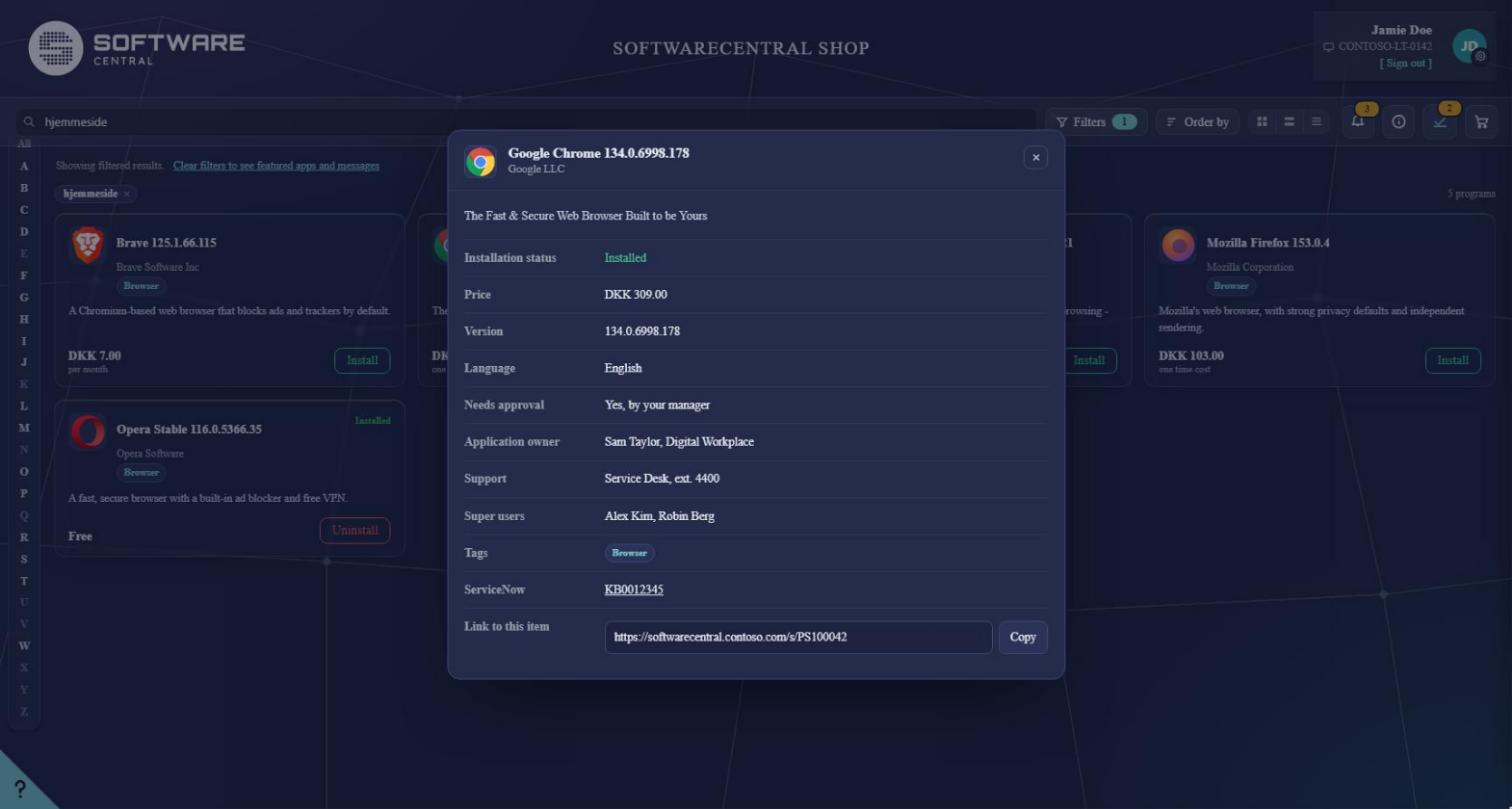
My Account
Who is this waiting on? Now there is an answer.New
Every order shows the person it sits with right now. Where several people approve, the whole chain opens: each step, who it went to, what they decided and when.
- The reason when something is sent back or declined New
- A bell for what needs your attention New
- Search, filter and export your own orders
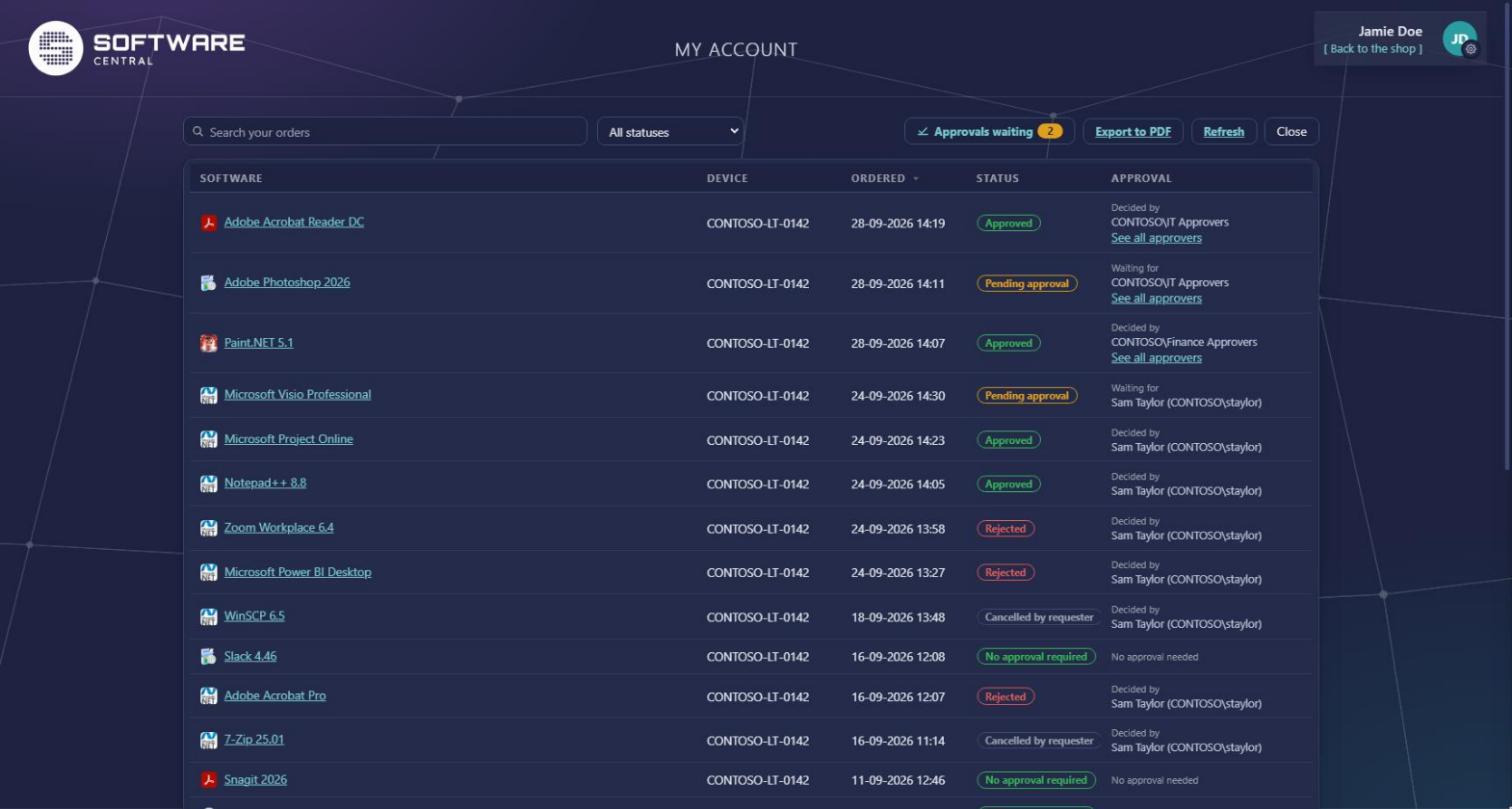
Approvals
For approvers: decide in one place, in bulk.
A counter next to the basket says when somebody is waiting on you, and it always matches the approval page it opens. Approve or decline several requests at once, search them, and look back at everything you have decided.
- A counter when somebody waits on you New
- Decided history with CSV export New
- Bulk decisions with a reason
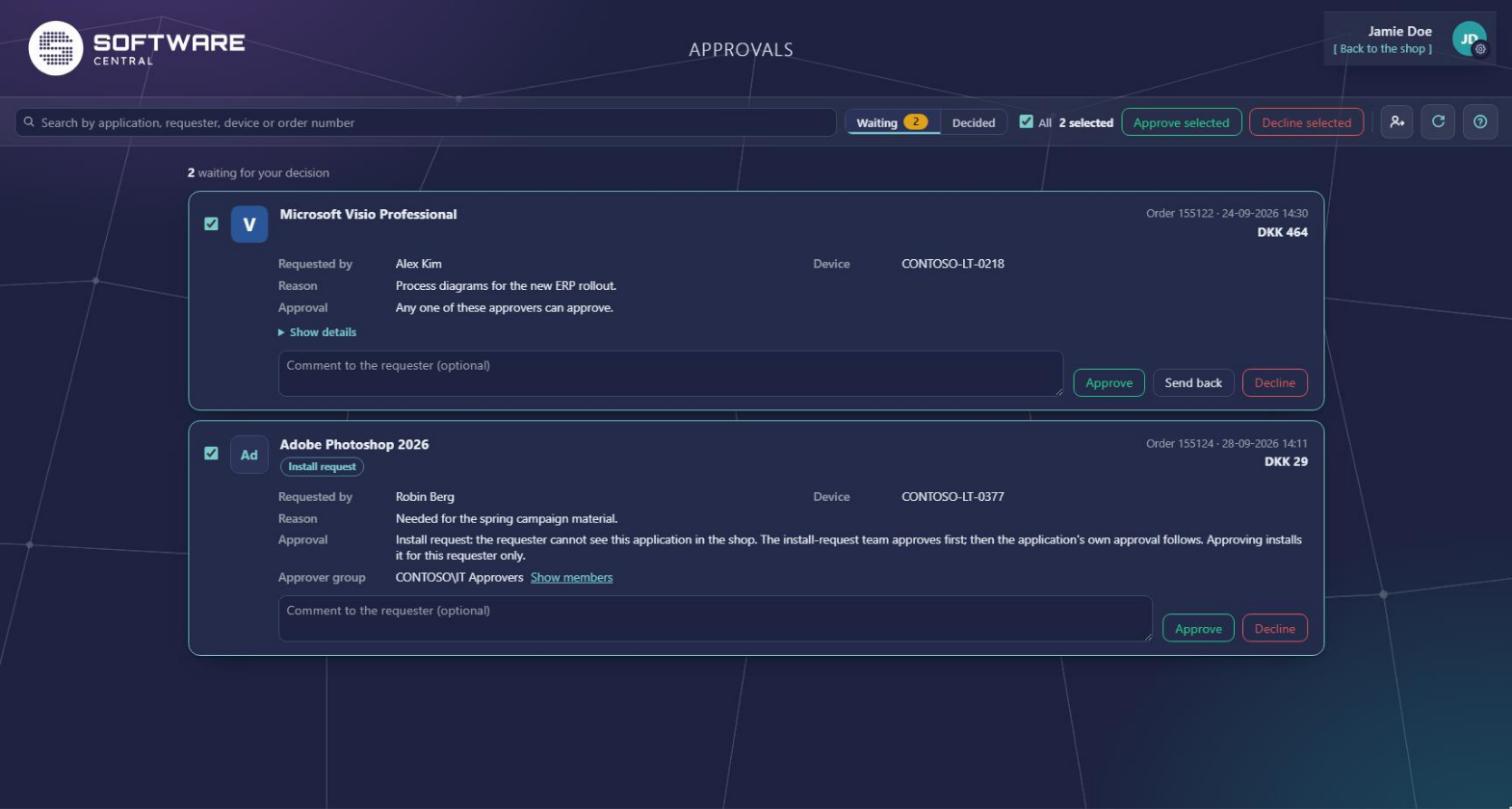
Your look
Your Shop, in your colours.New
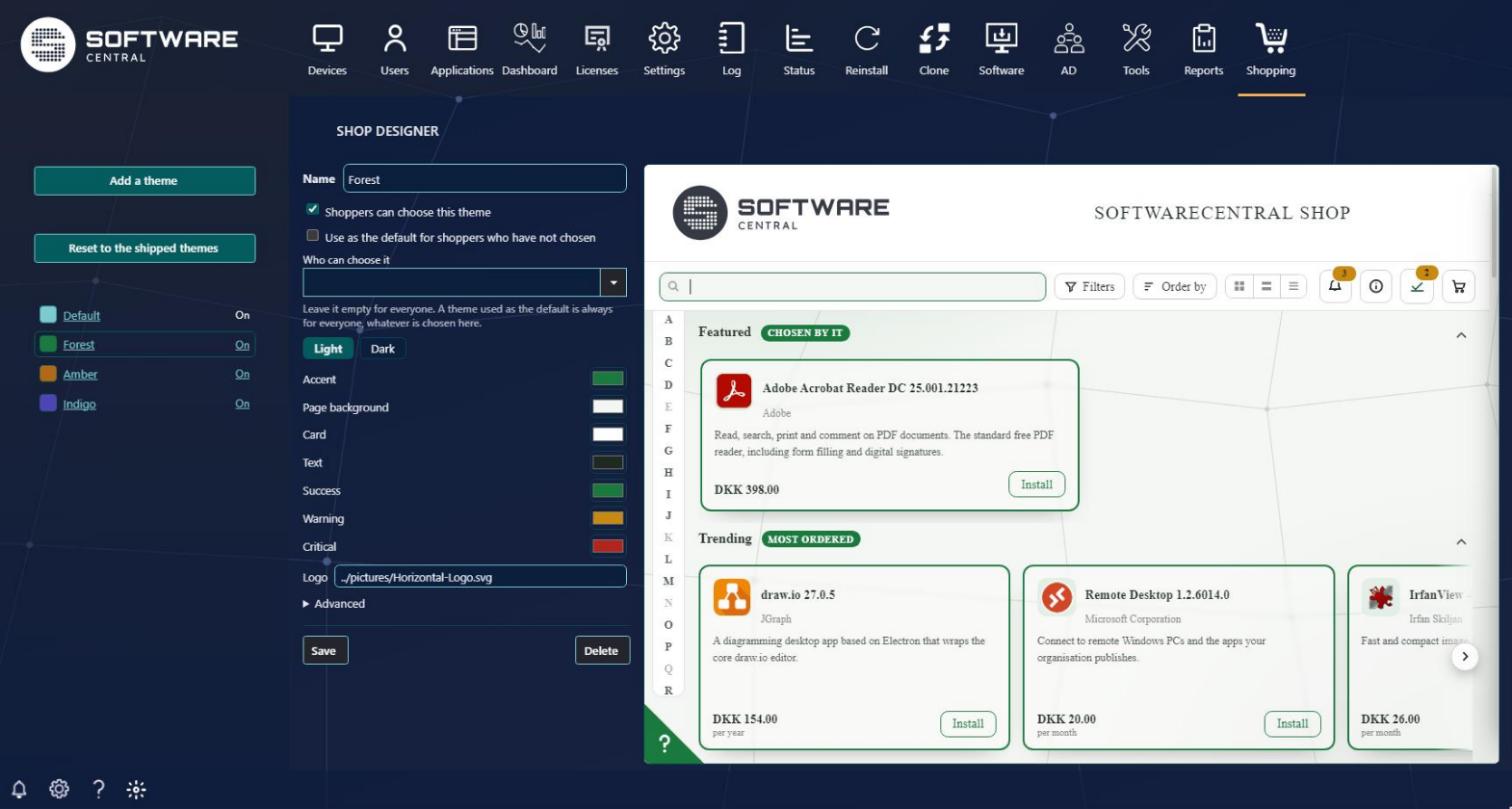
Each person picks light or dark and a colour theme. Drag across the picture, then try the themes.
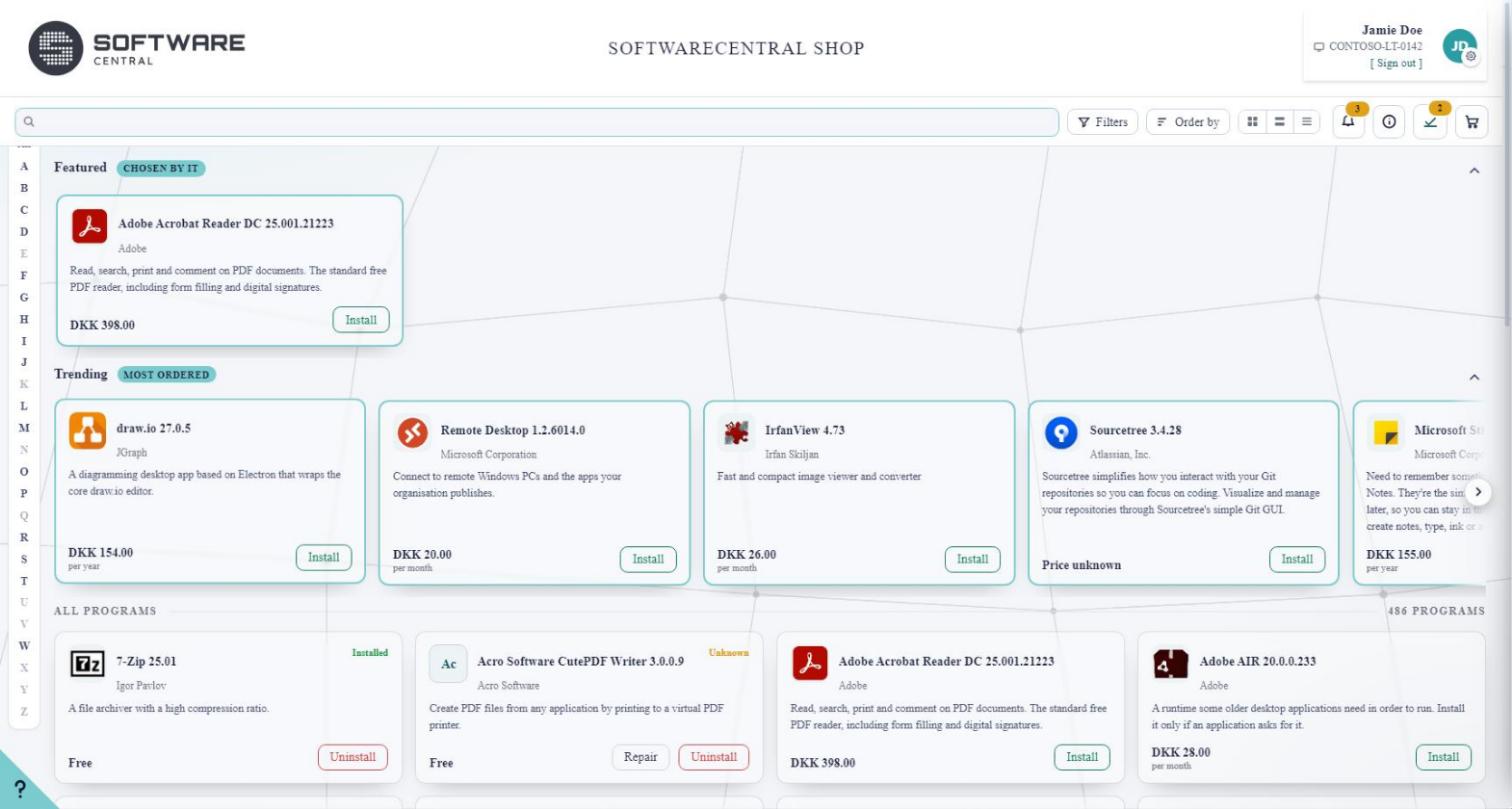
Shop DesignerNew
Build a theme while looking at the real Shop.
Pick seven colours per mode and the designer works out the rest, with your own catalogue repainting beside it as you go. A theme carries a logo for light and one for dark, and can be offered to one department only.
- Three themes included, plus the built-in look
- Advanced: every single colour, when you need it
- Aimed at an Active Directory or Entra group
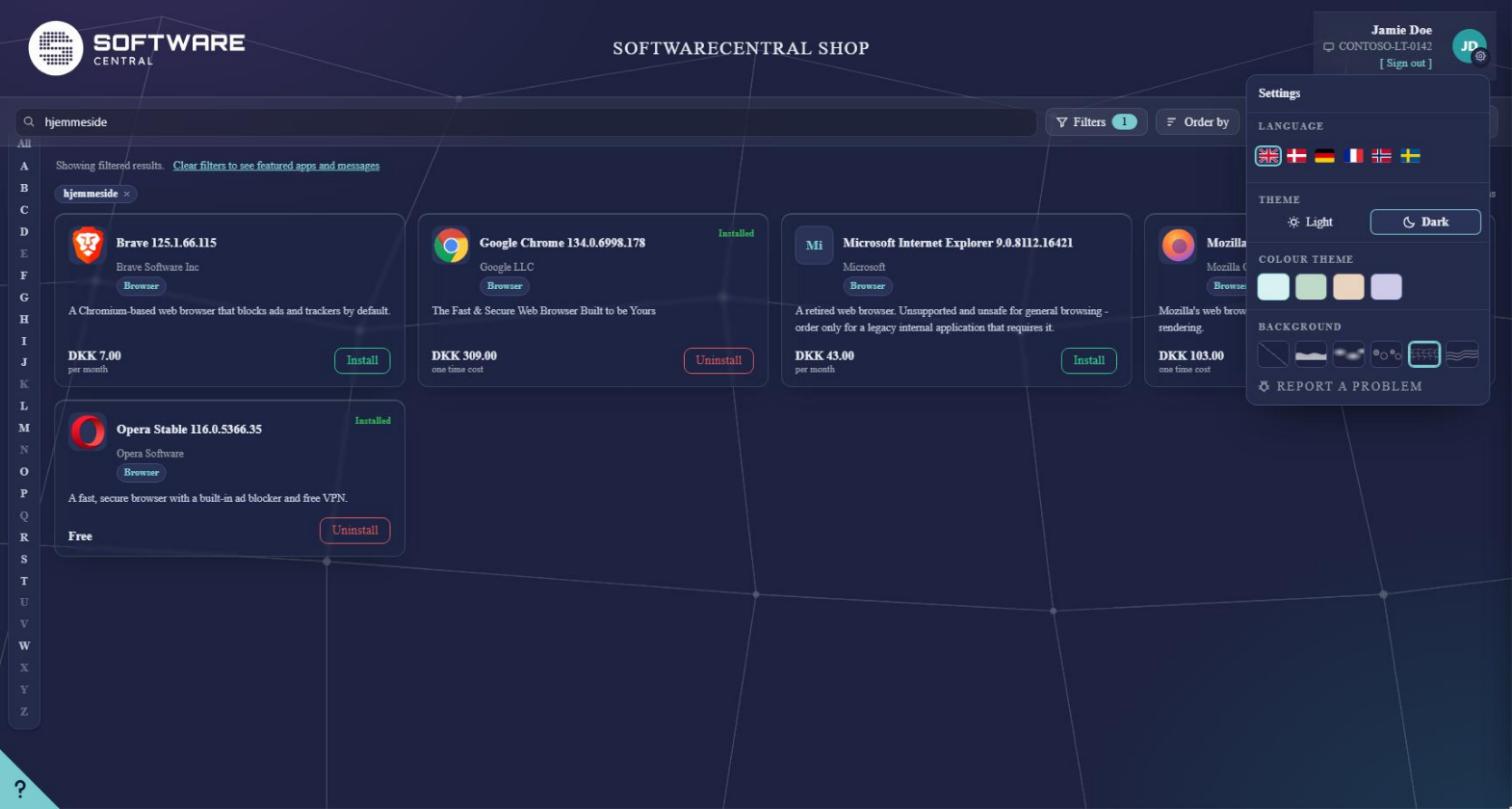
Your own cardNew
Everything personal, behind one gear.
Your picture and name sit in the corner. The gear on it holds language, light or dark, colour theme and background, applied at once and kept for the next visit.
- English, Dansk, Deutsch, Français, Norsk, Svenska
- Five quiet backgrounds, or none
- Theme applied before the page draws: no flash
For IT
Fewer tickets that start with
"I ordered it, has anything happened?"
Five new admin pages and a settings tab, for the things users kept asking about.
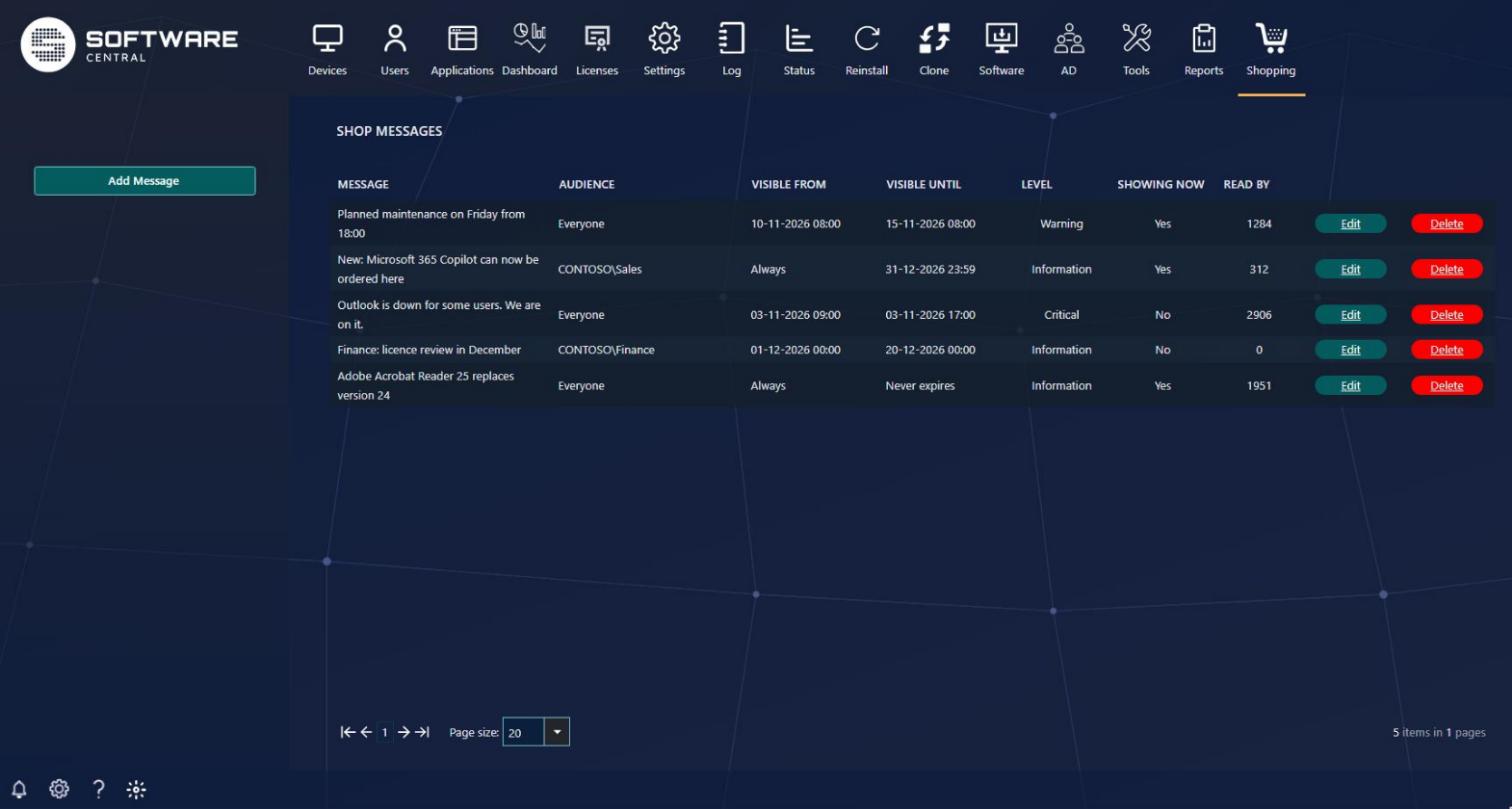
Messages from ITNew
Tell the right people, for the right days.
Write as many messages as you need. Each has a start and an end, an audience and a level, so "maintenance on Friday" appears on Thursday, reaches only the people it concerns, and is gone by Monday.
- Information, warning or critical
- Everyone, or one group
- Dismissed once, gone on every device
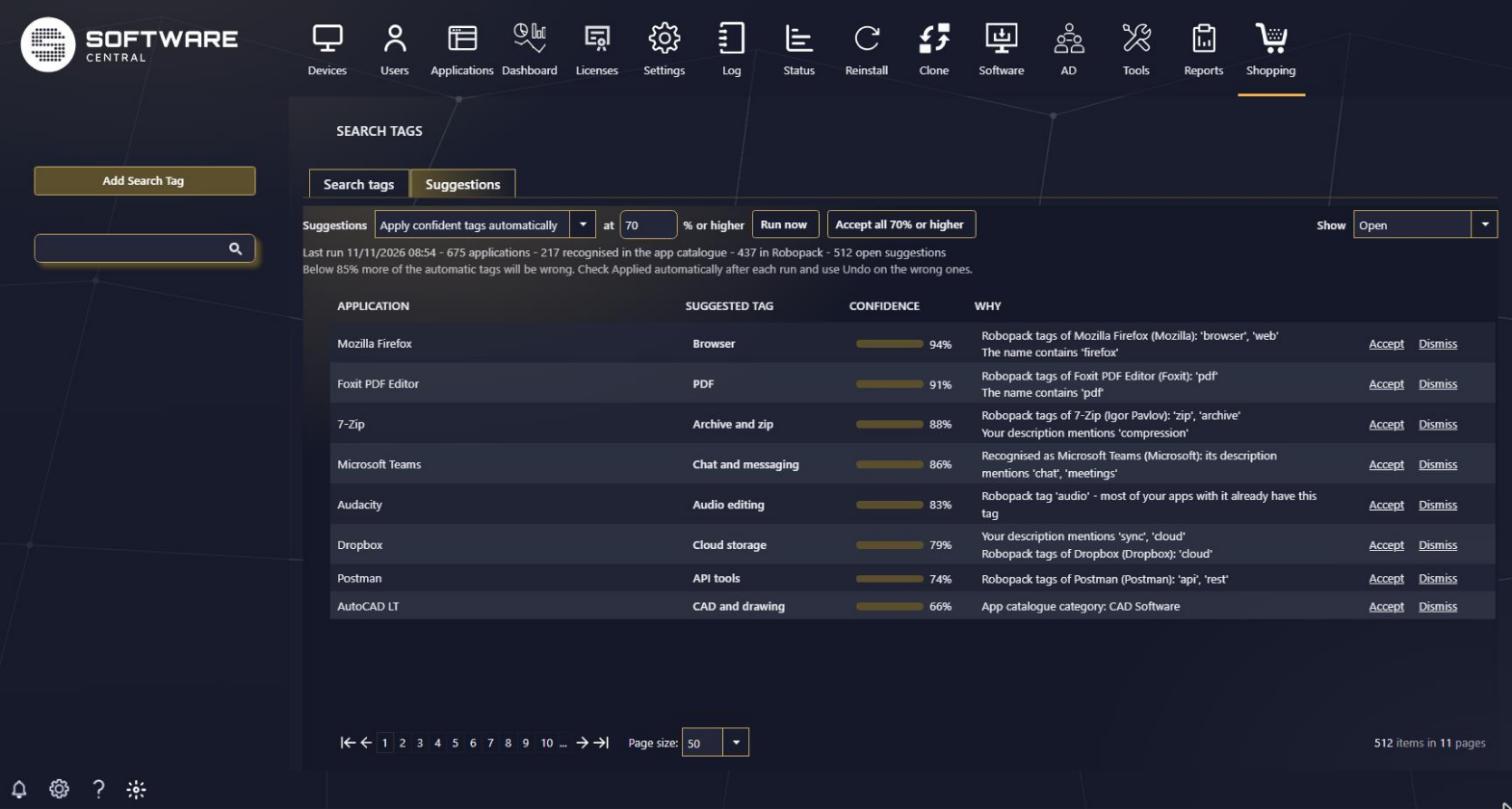
Search tag suggestionsNew
Tags that suggest themselves.
Every night, SoftwareCentral looks at your new and changed applications and proposes the search tags that fit, each with a confidence and the reason. Accept or dismiss them one by one, accept everything above your own percentage, or let the confident ones be added automatically, with Undo.
- A confidence and a reason for every suggestion
- With Robopack: the catalogue's own tags count too
- Learns from the way you already tag your apps
- Tags you set yourself are never changed
Your own fieldsNew
Add a ServiceNow reference, a wiki link or a licence note to any package, as text, a number or a link. Searchable, and every change logged.
A link you can pasteNew
Every application has a short link with a Copy button. Drop it in a ticket or a chat, and it opens that app in the right Shop.
Order questions
Licence keys, cost centres, a user or a computer, asked before the item reaches the basket. Nine kinds of question, including live lookups.
Report a problemNew
When the Shop does something odd for one person, they send a report of what it actually did, for IT to read afterwards.
Trending and featuredNew
Show what colleagues order most, without names or counts, and put the apps you want people to find on the front page.
Request what is hiddenNew
Optionally, a search that finds an app the user may not see can offer to request it, sent to the team you choose.
Moving across
On your terms, one group at a time.
The new Shop runs beside the one you use today. You decide who sees it, and when.
Start with a pilot group
Point a setting at an Active Directory or Entra group. Its members get the new Shop; everybody else carries on as before.
Widen it as you go
Add people to the group as your confidence grows. Remove someone and they are back on the Shop they know, at once.
Switch it on for everyone
One setting. The address does not change, so intranet links, bookmarks and shortcuts all keep working.
Changed your mind? Turn the setting off and everyone is back on the Shop they had.
Questions
Good to know
Do we have to move our catalogue or orders?
No. The new Shop reads the same packages, categories, prices, approval flows and order history as the Shop you use today. There is nothing to migrate.
Does it replace the Shop we use today?
Only when you decide. It runs beside the current Shop; you turn it on for a pilot group, then for everyone, and you can turn it off again.
Do our users need new links?
No. When you switch everyone over, the address stays the same, so existing links, bookmarks and shortcuts open the new Shop.
Does the search send anything outside our environment?
No. The matching runs on your own server, against your own catalogue. There is no language model and no outside service involved.
Can a theme change the rest of SoftwareCentral?
No. A theme reaches the new Shop, My Account and the order receipt, nothing else. The console your administrators use is not affected.
Which languages does it speak?
English, Danish, German, French, Norwegian and Swedish. Each person picks their own.