1 Pilot with a group
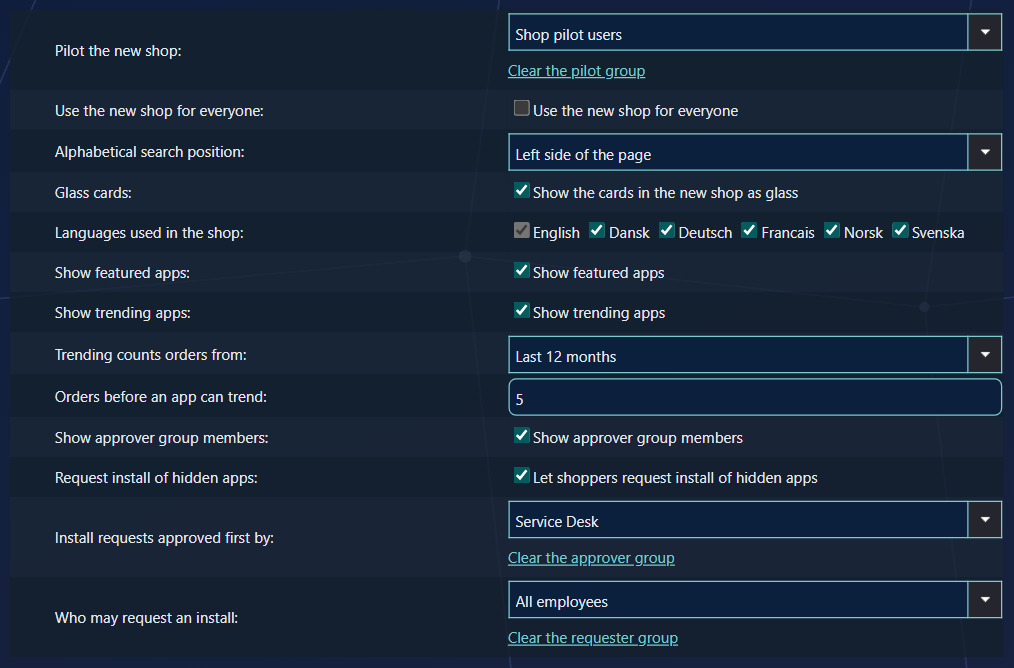
Settings › SoftwareCentral › New Shop › Pilot the new shop: choose an Active Directory group, or an Entra group when group memberships come from Entra, and save.
| For a pilot user | |
|---|---|
| Opening the shop | /Shop takes them to the new shop. Links with a program in them keep working. |
| Approval mails | The link opens the new approvals page. |
| Group membership | Checked once per session. A user added to the group gets the new shop after signing in again; changing the group in Settings takes effect at once. |
| Directory not reachable | The user gets the classic shop, never an error. |
The way back
A pilot user who needs the classic shop can open /Shop?shop=classic; they stay on the classic
shop for the rest of the session. /Shop?shop=modern brings them back. Tell your pilot users,
so a problem never stops them from ordering.
To stop the pilot, click Clear the pilot group and save. Everyone gets the classic shop again.
2 Switch everyone over
Tick Use the new shop for everyone and save.
From then on, the addresses of the classic shop and approvals page serve the new ones to everybody; the
address bar still shows the old address. The pilot group no longer matters, and ?shop=classic
no longer works. To go back, untick the box.
3 What is not switched
| Address | What happens |
|---|---|
/m/Shop, /m/Approve | The mobile shop and approvals stay as they are. The new approvals page sends phones there too. |
/MyAccount | Stays the classic page. The new shop opens the new My Account itself, from the shopper's name. |
| Shop Designer's preview | Always shows the new shop, whatever the switch says. |
4 Checklist
- Go through the New Shop and Shop settings tabs; see New shop settings.
- Check a handful of applications: icon, description, price, approval flow, order details.
- Write a first message from IT, for example to welcome the pilot users.
- Choose the pilot group, and tell the pilot users about
?shop=classic. - Collect feedback — shoppers can send a debug report from the shop's settings panel.
- Switch everyone over.
5 Best practice
- Clear the pilot group to end the pilot. Everybody goes back to the current shop, unless Use the new shop for everyone is on.
- Use the new shop for everyone when you are ready. It is served at the current shop's own addresses, so no links, menu buttons or bookmarks need changing. It overrides the pilot group.