1 Start a deployment
In the Apps view, click Deploy Software in the left panel. A three-step wizard opens — Select Software → Select Endpoints → Settings and Deploy — with a running Summary on the right throughout.
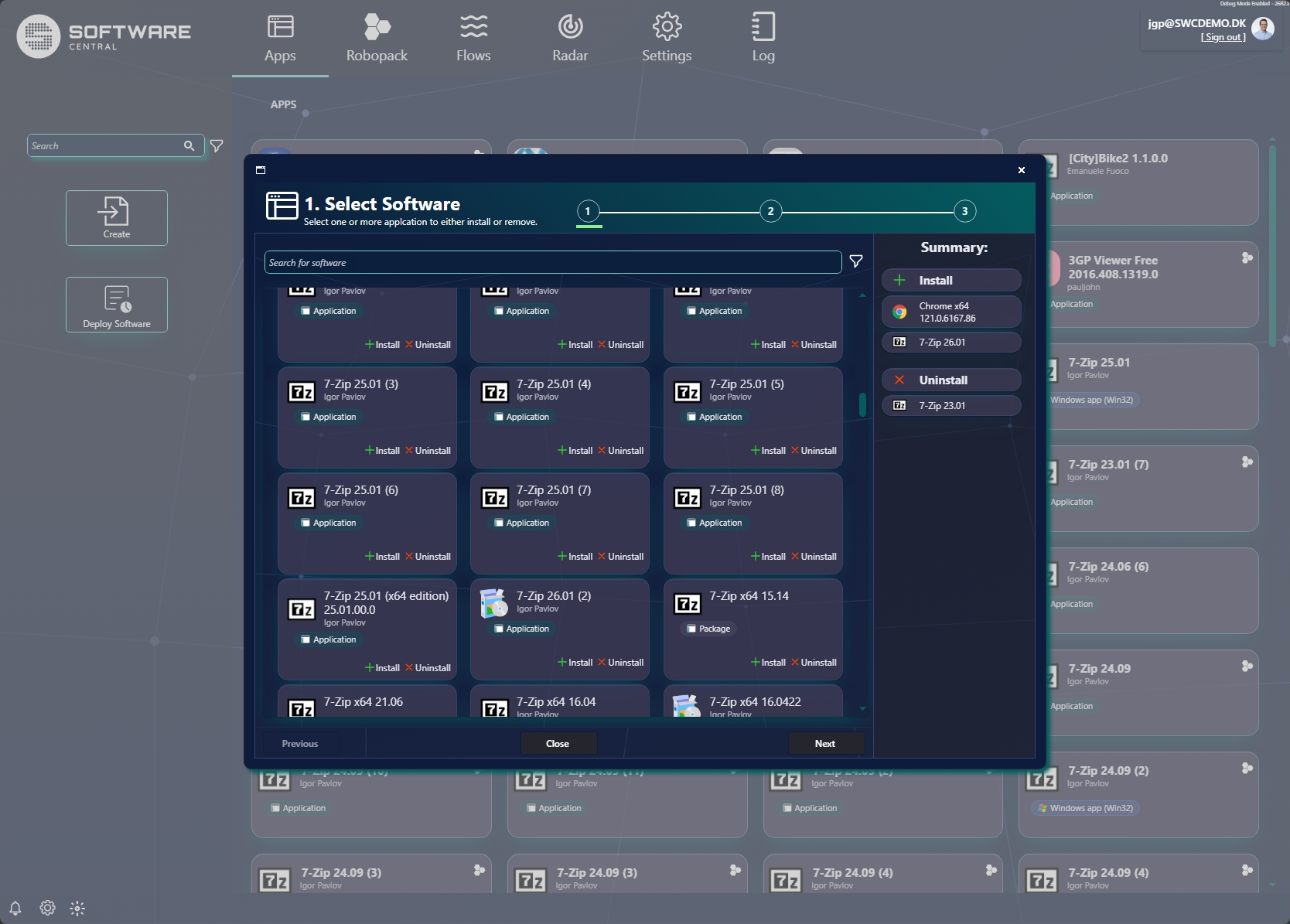
2 Step 1 — Select software
Search for software and choose Install or Uninstall on each app. Your choices build up in the Summary panel on the right, split into Install and Uninstall lists.
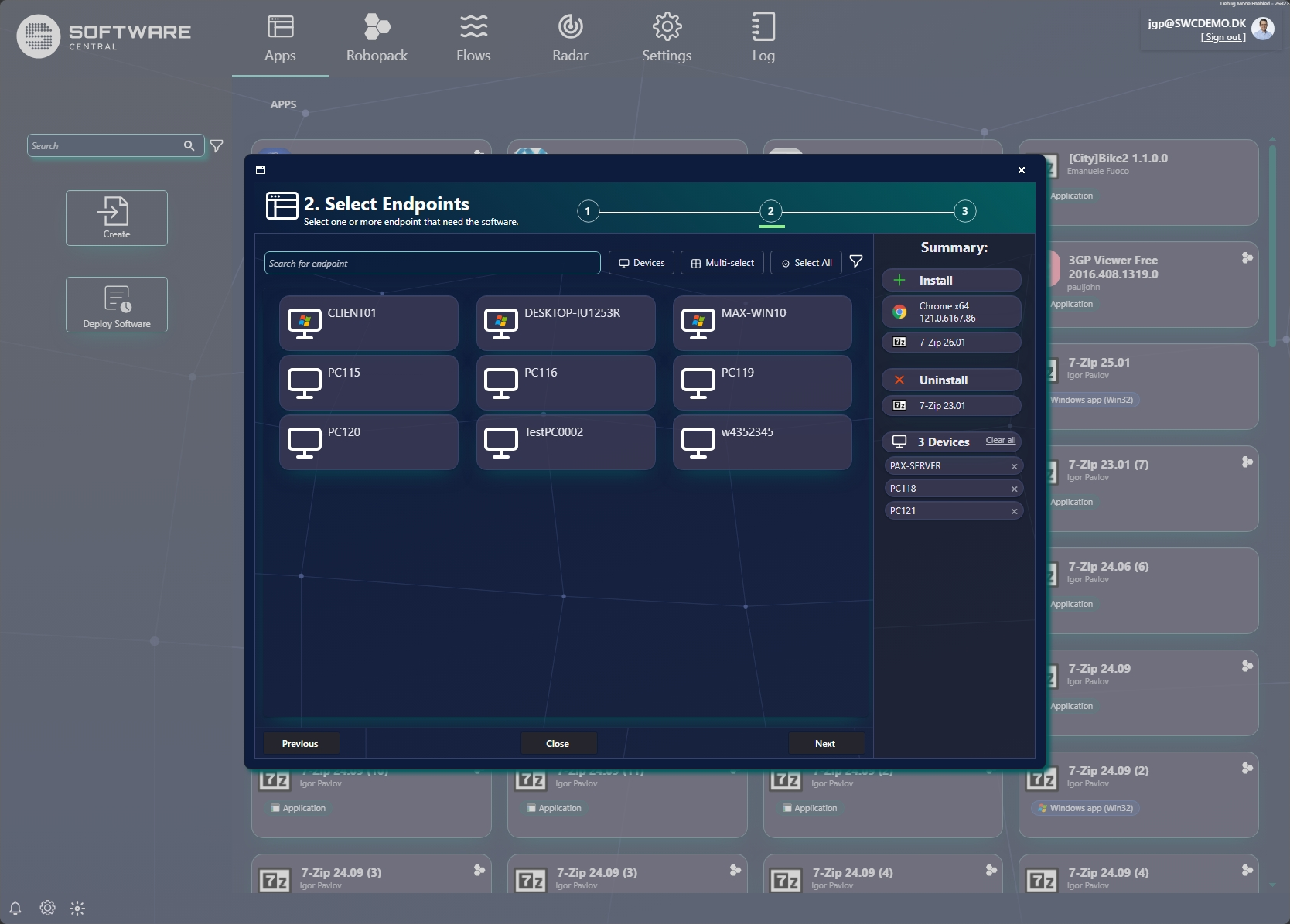
3 Step 2 — Select endpoints
Choose the devices (or users) that need the software. Use Search, the Devices / users toggle, Multi-select and Select All to build the target list. Selected endpoints appear in the Summary (e.g. 3 Devices), and Clear all resets them.
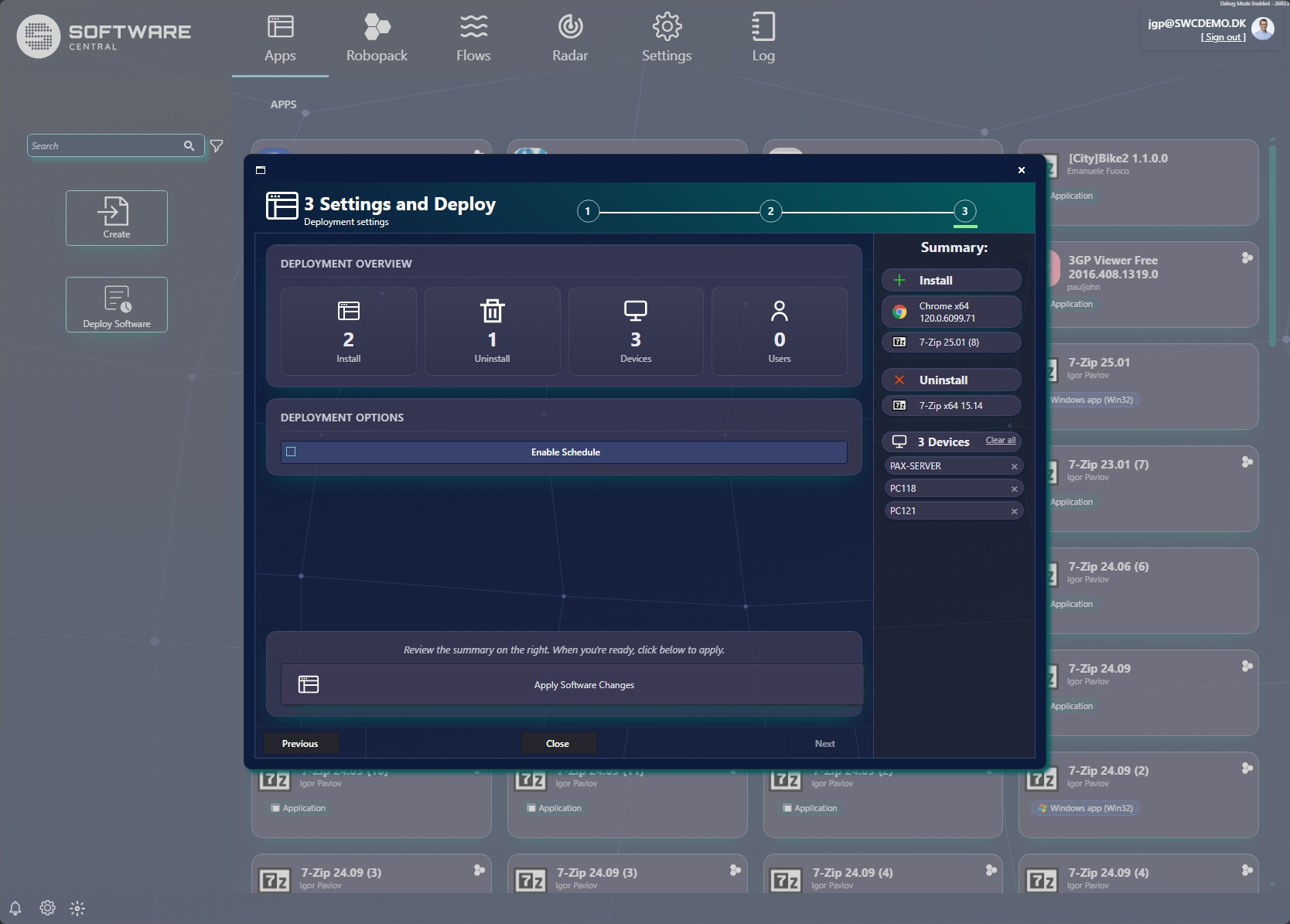
4 Step 3 — Settings and deploy
Review the Deployment Overview — how many apps will be installed and uninstalled, and how many devices and users are targeted. Optionally turn on Enable Schedule to deploy later, then click Apply Software Changes to run the deployment.
5 Track the result
After deploying, follow progress from the app's Install Status view — see Opening an app.