1 The three tabs
Use these tabs to switch between the general log, the personal log and the event log.

| Tab | What it shows | Filters that apply |
|---|---|---|
| General log | All log messages, from all users and the system. | Search, From, To, Severity, User and Show debug log. |
| Personal Log | Only the messages started by the account you are signed in with. | Search, From, To, Severity and Show debug log. |
| Event Log | Events from the Windows Application log on the server where SoftwareCentral is installed. | Search, From and To. |
2 General log
The general log displays all log messages made from all users and the system.
Use the User box to show the messages of one user. Leave it empty to see everybody. The User column is shown on this tab only.
3 Personal Log
The personal log only displays log messages initiated by the logged in user.
The tab matches the messages to the account you are signed in with. If no message has been logged under that account, the tab is empty. The messages on this tab can also appear as popup notifications, when their severity reaches the level you have chosen. See Log message severity (importance).
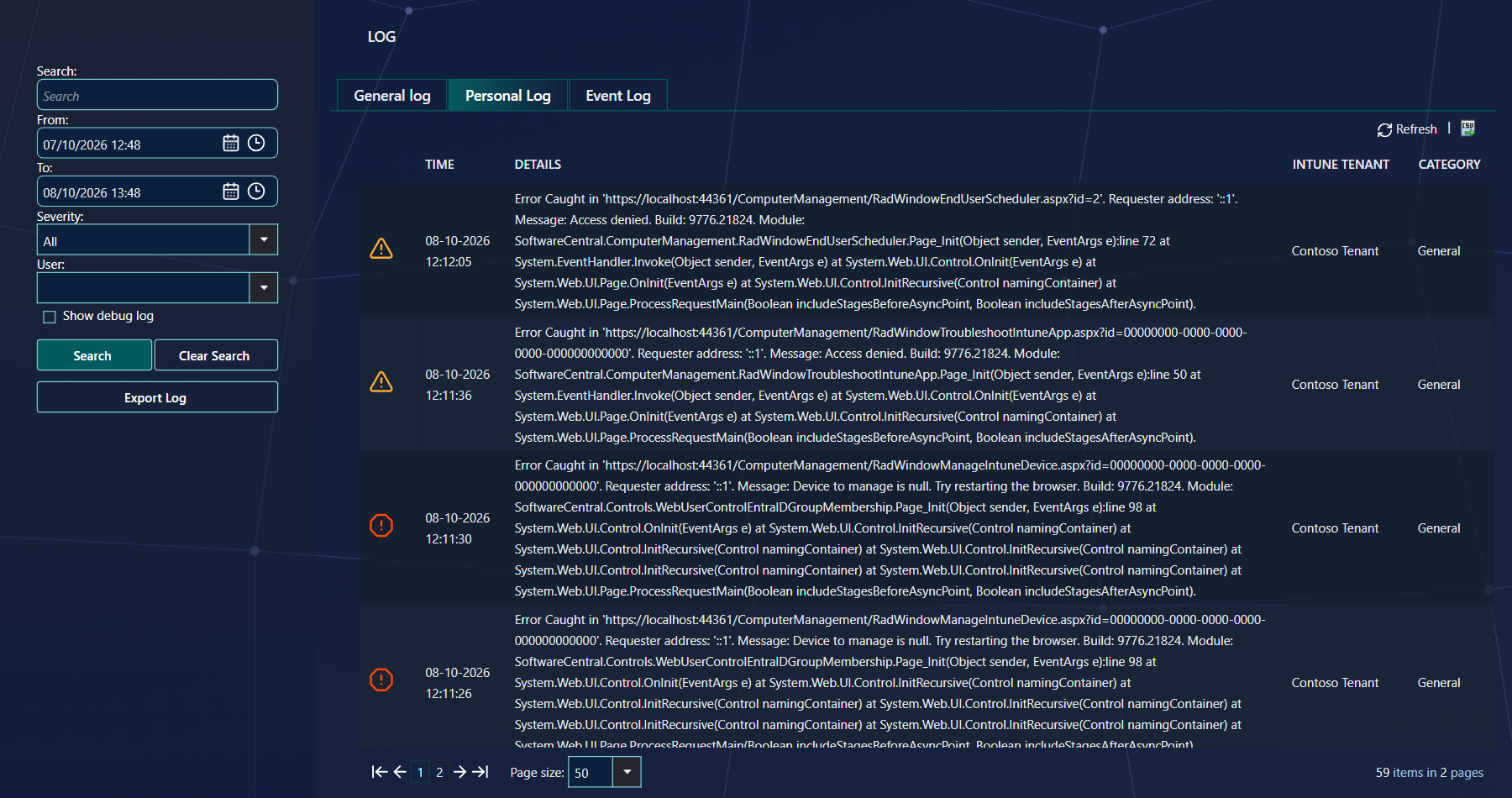
If your security role has the Personal Log tab but not the General log tab, SoftwareCentral opens the Personal Log first, and the User box is locked to your own name.
4 Event Log
The event log shows log messages from the Event Viewer on the server where SoftwareCentral is installed. This is only needed for advanced troubleshooting of site related errors.
The tab lists the entries of the Windows Application log that were written by ASP.NET. The Severity and User filters do not apply to this tab; Search, From and To do. The tab is not offered on the cloud version of SoftwareCentral.
5 Security roles and tabs
A security role can be limited to one or more of the tabs.
| Tab | Shown to a user when |
|---|---|
| General log | The security role includes the General log tab. The Show debug log box is shown with it. |
| Personal Log | The security role includes the Personal Log tab. |
| Event Log | The security role includes the Event Log tab, and SoftwareCentral is not the cloud version. |
6 Best practice
- Give the General log only to roles that need every user's messages. It shows the activity of all users, so the Personal Log is enough for most people.
- Use the User box to look at one person's messages. Filter the General log instead of reading the whole log, which holds every user's messages.
- Use the Event Log only for site-related errors. The tab is meant for advanced troubleshooting of the server; for everyday questions use the General log.
- Keep Show debug log off unless support asks for it. Debugging messages are noise for most questions.
7 Troubleshooting
| Symptom | Cause | What to do |
|---|---|---|
| The Personal Log is empty. | No message has been logged under the account you are signed in with. The tab shows nothing and no message. | Carry out an action in SoftwareCentral, then search again. If you expect entries, ask your IT department to check the User box on the General log. |
| Show debug log is not shown. | Your security role does not include the General log tab. | Ask your IT department to add the General log tab to your security role if you need debugging messages. |
| "Failed to read event log on server" followed by the server name. (a Critical entry) | SoftwareCentral could not read the Application event log on the server. The reason is added to the entry, for example access denied. | Ask your IT department to check that the account the SoftwareCentral website runs under can read the Application event log on that server. |