1 Overview
Reset Password works as a simple service that monitors an inbox. Whenever a mail is sent to this inbox, the SoftwareCentral Service replies with a reset password link, if the mail address of the sender is registered to a user in Active Directory.
The reply is sent to the mail address of the user in Active Directory, with the subject of the request written as RE: subject. The service runs in the SoftwareCentral Service, not on the web site.
2 Connect the inbox
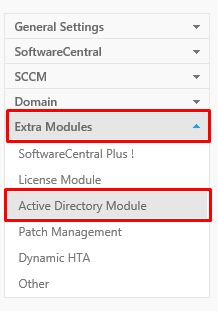
To set up the service to connect to your inbox, go to the Settings menu and locate Extra Modules › Active Directory Module in the left menu.
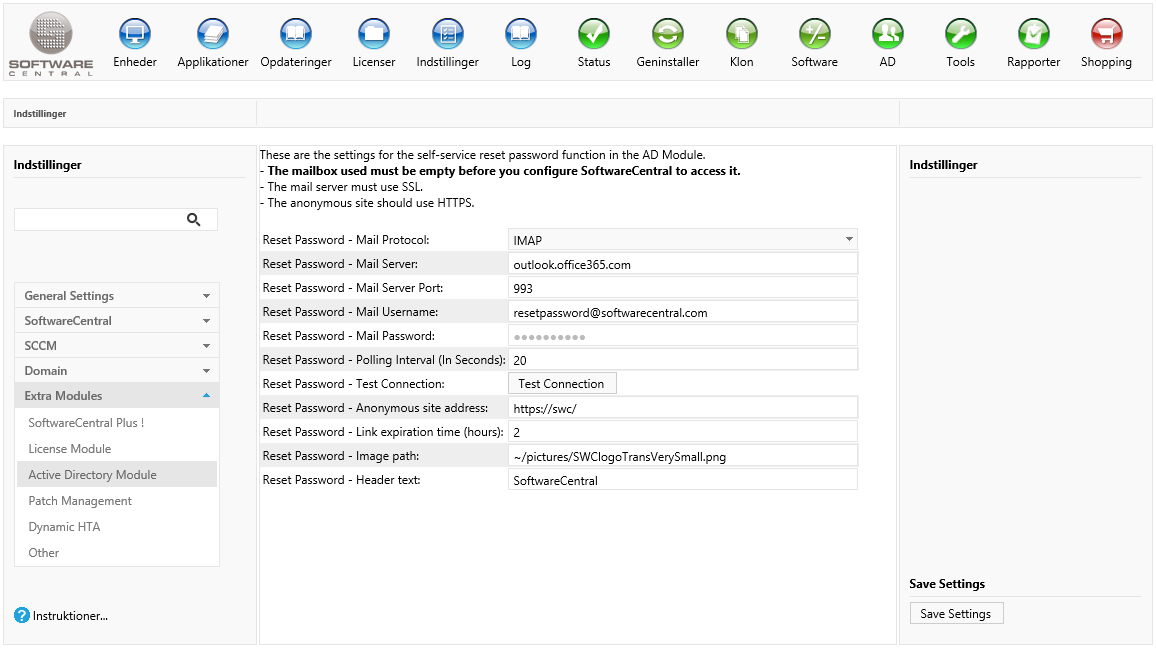
Set the following settings. Click Save Settings on the Settings page when you are done.
| Setting | What to enter |
|---|---|
| Reset Password - Mail Protocol | IMAP or POP3. IMAP is used unless POP3 is selected. |
| Reset Password - Mail Server | The name of the mail server, for example outlook.office365.com. The mail server must use SSL. |
| Reset Password - Mail Server Port | The port of the mail server. Use 993 for IMAP and 995 for POP3. If the box is empty, SoftwareCentral uses 993. |
| Reset Password - Mail Username | The user name of the mailbox, which is its mail address, for example mail@outlook.com. |
| Reset Password - Mail Password | The password of the mailbox. It is shown as dots and stored encrypted. To keep the stored password, leave the box as it is when you save. |
| Reset Password - Polling Interval (In Seconds) | How often the service looks for new mails, in seconds. The shorter the interval, the faster users get their link. If the box is empty, SoftwareCentral checks every 300 seconds (5 minutes). |
Use the Test Connection button to test that SoftwareCentral can connect to the inbox. The result is shown next to the button: Successfully connected to mail server. or Failed to connect to mail server.
3 Set up the reset site
The link in the mail must open a web site that uses anonymous authentication, because the user is not signed in yet.
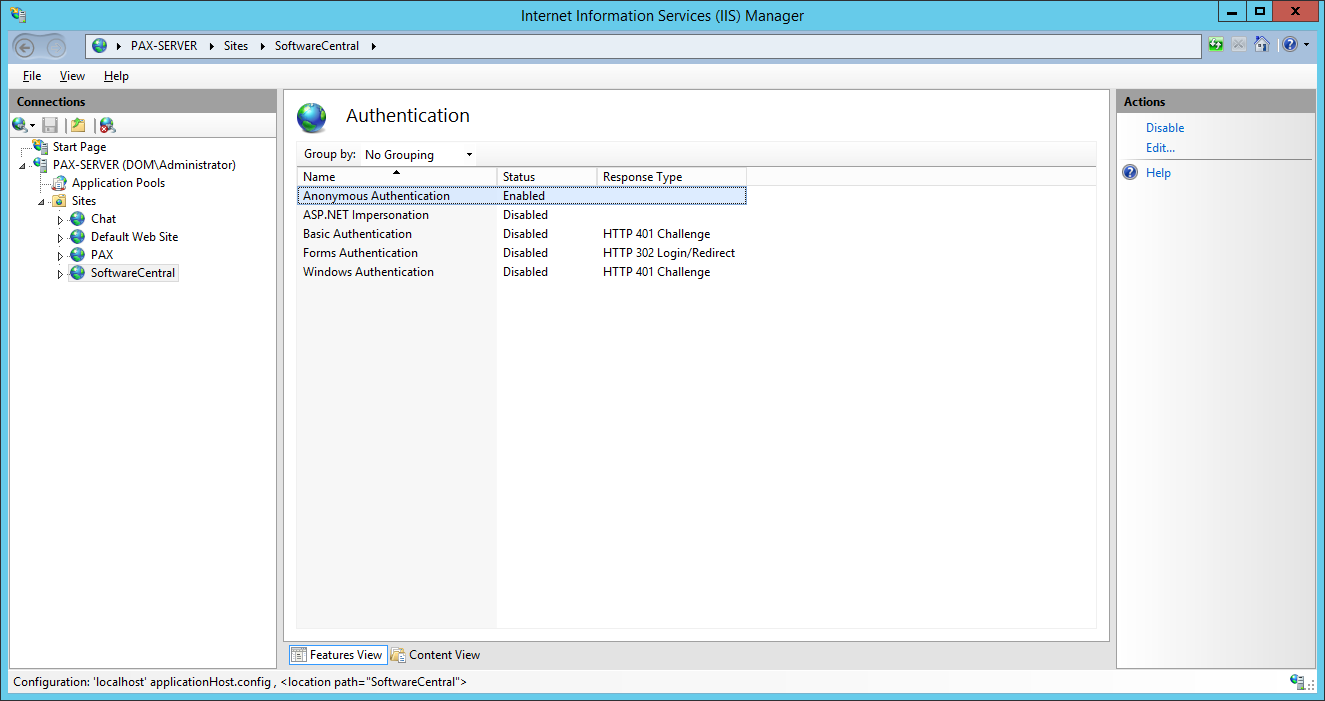
Set up an additional site, identical to the default SoftwareCentral site, but with Anonymous Authentication enabled and Windows Authentication disabled. The new site should point to the same source files as the original SoftwareCentral site.
For additional security, and to avoid that user passwords are sent over the network in clear text, the site should use the HTTPS protocol.
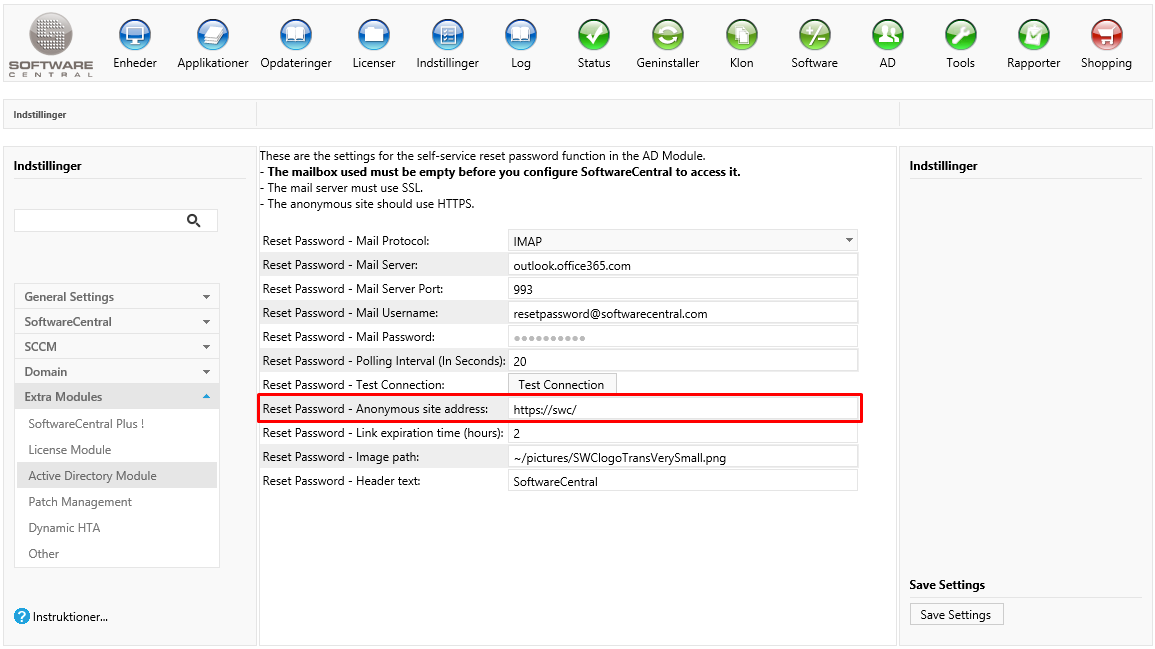
Enter the address of the new anonymous site in the Reset Password - Anonymous site address box, and click Save Settings:
4 Link expiration
Set the expiration time for the link in Reset Password - Link expiration time (hours). The link stops working after that many hours. If the box is empty or 0, SoftwareCentral uses 2 hours.
While a user has a link that is not used and not yet expired, a new request from that user does not send another mail.
5 Customize the reset page
You can change the image and the header text of the reset password page to match your own company logo and name.
- Reset Password - Image path: the logo. If you add your own logo, place it in the uploads folder in the SoftwareCentral installation folder, and enter the path, for example
~/Uploads/Images/YourLogo.png. - If you place the image outside the SoftwareCentral installation folder, enter an URL for the image instead.
- Reset Password - Header text: the text shown next to the logo. An empty box shows no header text.
You can test the look of the reset password page at http://[your-softwarecentral-url]/ResetPassword.aspx.
6 Mail template
The mail that contains the link is built from the reset password mail template. It is stored in the SoftwareCentral database, not in a file. The template is in one language only.
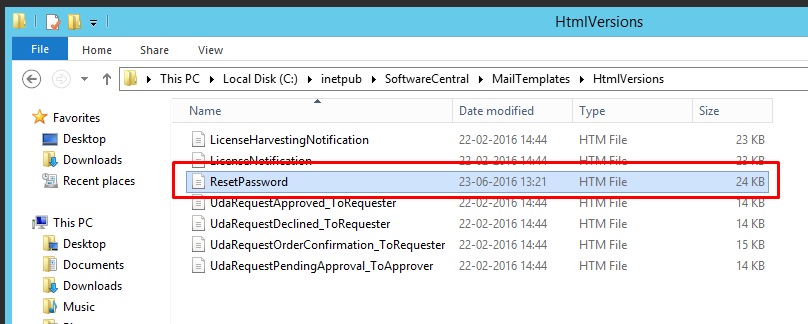
Edit the template in the mail template editor of SoftwareCentral. You can change the text as you like. SoftwareCentral replaces these placeholders with values when it builds the mail, so they must also stay in your template:
{link}: the reset password link.{hoursBeforeExpiration}: the link expiration time in hours.{CurrentDateTime}: the current date and time, if you want to show them in the mail.
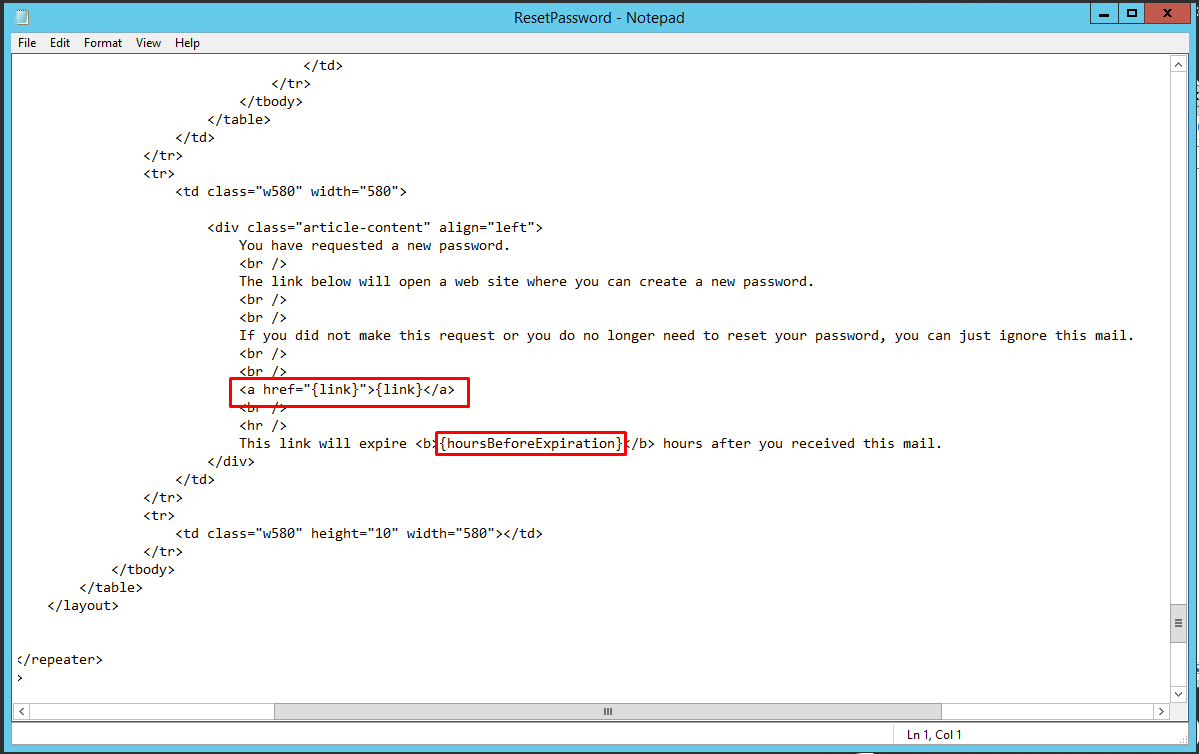
{link} and {hoursBeforeExpiration} are the ones that SoftwareCentral replaces.7 Best practice
- Use a mailbox for reset requests only, and keep it empty. SoftwareCentral reads the mails in it and deletes them after processing, and any other mail in the box is deleted with them.
- Use a mail server with SSL and the HTTPS protocol for the reset site. The mail password is sent to the mail server, and the reset link leads users to the site where they type a new password.
- Keep the link expiration short. The default is 2 hours. Anyone who gets hold of the link can set a new password until it expires.
- Choose the polling interval with care. Each check signs in to the mailbox. The default is 300 seconds. A shorter interval gives faster replies and more sign-ins.
- Restart the SoftwareCentral Service after every change. The service decides at its start whether to watch the inbox, so a change is only reliably used after a restart.
8 Troubleshooting
| Symptom | Cause | What to do |
|---|---|---|
| Test Connection shows "Failed to connect to mail server." | The mail server, port, protocol, user name or password is wrong, or the mail server cannot be reached with SSL. | Check each value in the table above. For POP3, use port 995. Use the mail server name that the mailbox provider gives you. |
| The user gets no mail, and the Log shows "Failed to send reset password link to user with mail address '...'." with the detail "The request was not accepted because no user in the AD is registered with this mail address." | The sender's mail address is not the mail address of a user in any Active Directory domain that SoftwareCentral reads. | Check the mail address of the user in Active Directory, and make sure the user writes from that address. |
| The user gets no mail and nothing appears in the Log | The user already has a link that is not used and not yet expired. SoftwareCentral does not send a second link. | Use the link in the first mail, or wait until the link expires (see Link expiration time) and ask again. |
| Mails are not answered at all | One of the mailbox user name, mailbox password, mail server or anonymous site address is empty when the service starts. Or the SoftwareCentral Service was not restarted after you entered the settings. An installation that uses only Intune does not run the inbox monitor. | Enter all four settings, click Save Settings, and restart the SoftwareCentral Service. |
| The link in the mail does not open the reset page, but asks for a Windows sign-in | Most likely the link leads to the normal SoftwareCentral site, which uses Windows Authentication. The anonymous site address is wrong, or the reset site is not set up as described in Set up the reset site. | Check that Reset Password - Anonymous site address is the address of the anonymous site, and that the site has Anonymous Authentication enabled. |
See also Reset Password self-service and Active Directory Module.