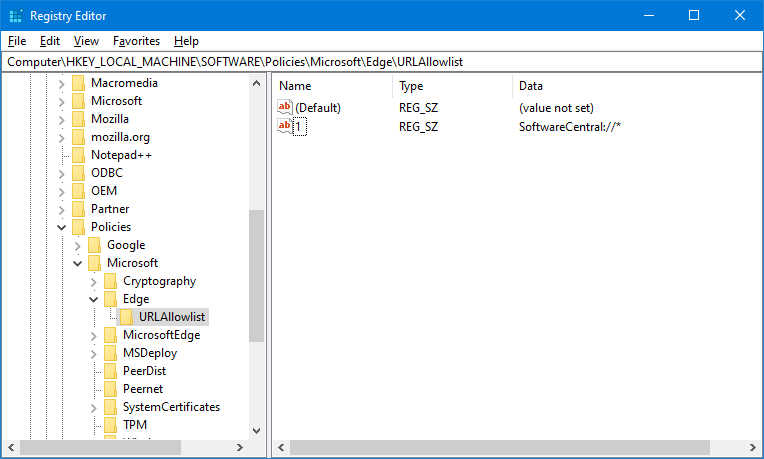
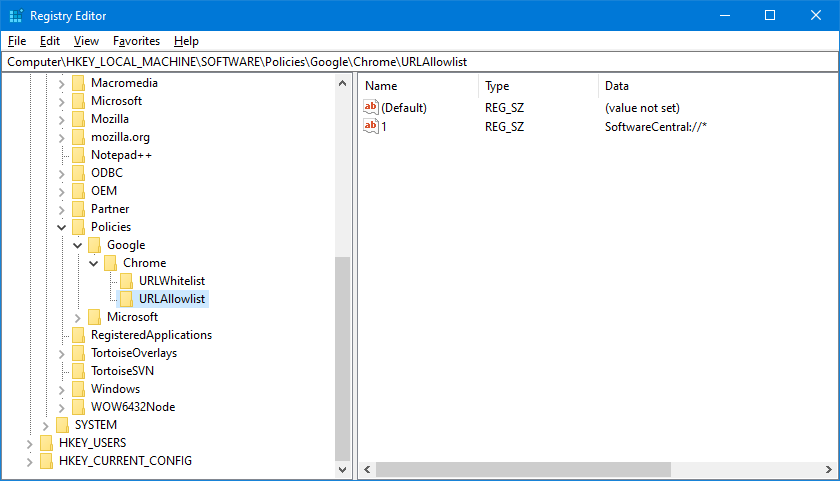
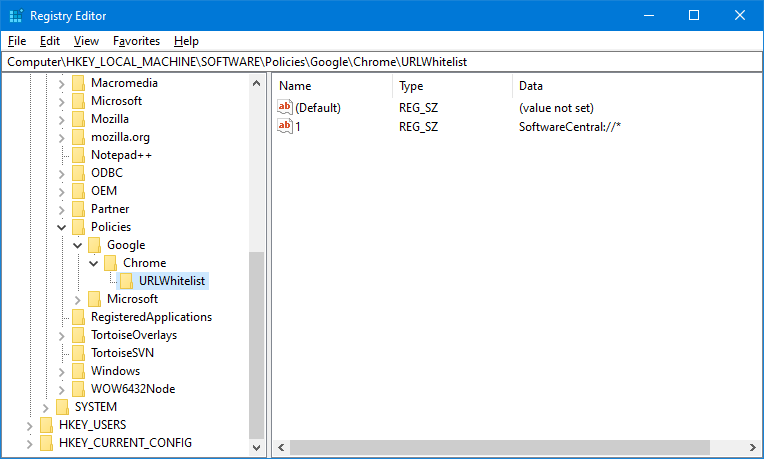
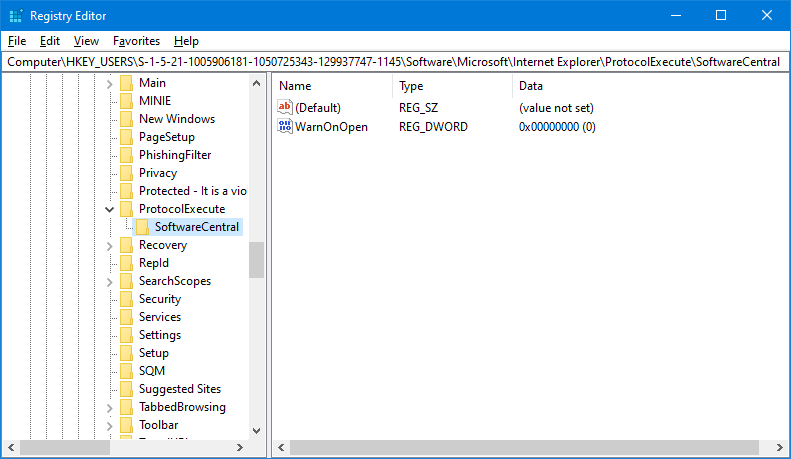
When a SoftwareCentral: link starts the client, the browser may ask the user first, for security reasons.
Sometimes the question is shown so briefly that users cannot answer it. Allow the link in each browser, and the
question disappears.
Set it for everyone at once
The PowerShell script in Installing the client sets the Edge and Chrome
keys together with the registration. The same policies can be set with the browsers' administrative templates in
a Group Policy, or with Intune.
4 Best practice
Check the Internet Explorer value for each user. The WarnOnOpen value is stored under the user's own SID, so it is set per user, not per computer.
Check that the client registration succeeded. The Edge key is written when the client is registered, and a failed registration is written to the log.
5 Troubleshooting
Symptom
Cause
What to do
Internet Explorer still asks before it opens SoftwareCentral.
The WarnOnOpen value for the user is 1.
Set WarnOnOpen to 0 under the user's SID, as in section 3.
Microsoft Edge still asks before it opens SoftwareCentral.
The value under the Edge URLAllowlist key is missing.
Check the key and value in section 1, and add them if they are missing.
The log says “Failed to register protocol 'SoftwareCentral' to the URI Scheme on client 'computer'.”
The registration of the SoftwareCentral address did not complete.
Read the entry in the Log, fix the cause, and register the client again.