1 Create the two groups
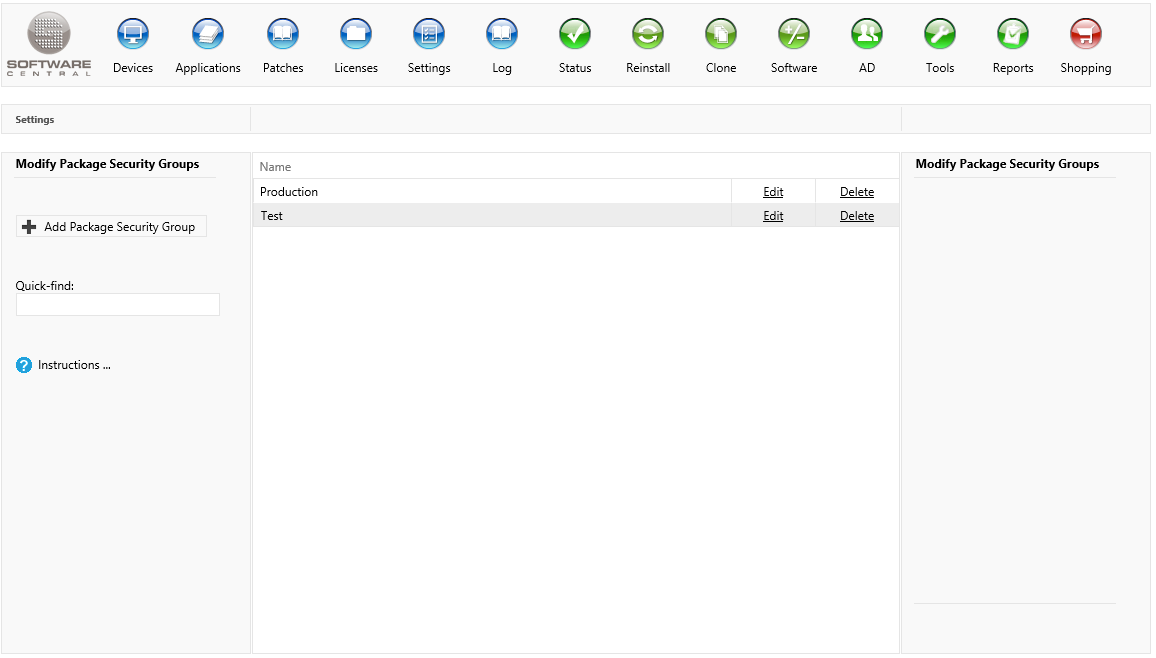
Create two Package Security Groups in the Package Security Groups interface: name the first one Test and the other one Production.
Click Add Package Security Group for each group, type the name, and save it.
2 Make Test the default
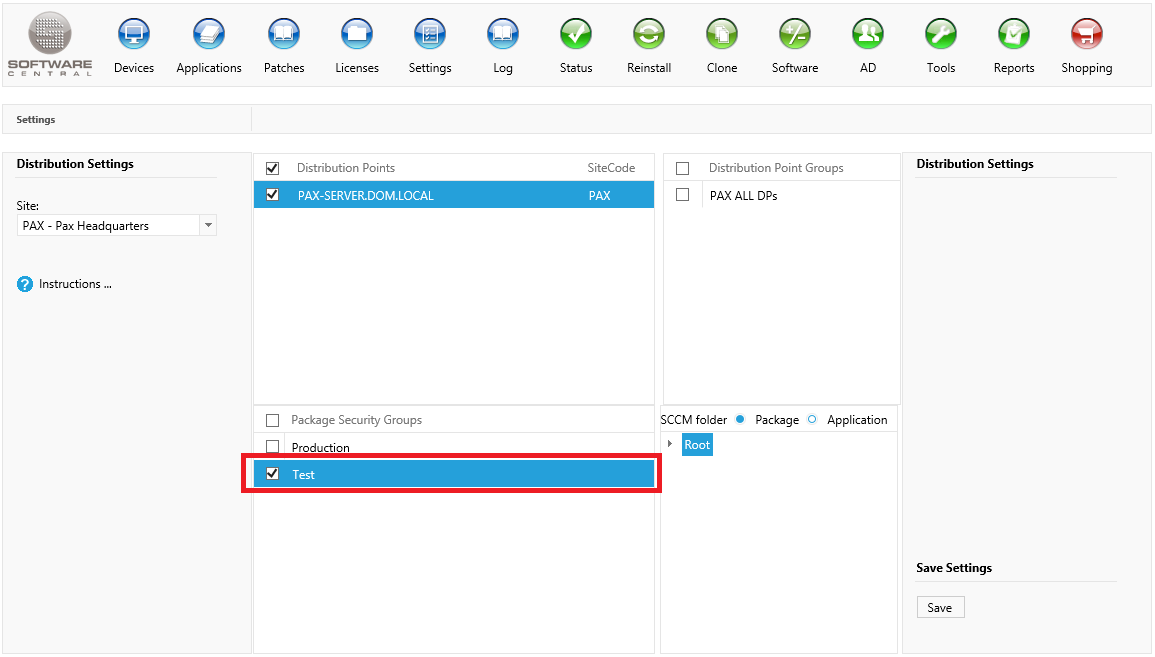
Open Settings › Distribution Settings, choose your site, and tick Test in the Package Security Groups list. Click Save.
The groups you tick here are the defaults for new packages. SoftwareCentral copies the ticked groups into each new package template and application template, so tick Test before you create the templates that you use to import packages for testing. You can tick more than one group.
3 Give each group to a role
Give the Test group to the security role of your testers, and the Production group to the role of your helpdesk.
A role sees only the package security groups that it has been given. Your testers then see the packages in Test and nothing else, and the helpdesk sees the packages in Production.
4 Import and test
When you import a new package or application, it is added to the Package Security Groups that its template holds. With Test ticked in the defaults, the new package goes into Test, and only the roles that have Test see it.
Test the package with your testers before you move it.
5 Move a tested package to Production
When the package has been tested, the tester assigns the package to the Production group and removes it from the Test group. The steps are in Assign Packages to Security Groups.
Now the package is available to the helpdesk in the production environment.
6 Best practice
- Create the groups and set the default before you create templates. The ticked groups are copied into a template when the template is created. Changing the default later does not change the templates that already exist, so check the groups on a template before you import with it.
- Give testers Test only, and the helpdesk Production only. A package then reaches production users only after a tester has moved it.
- Move the package, do not copy it. When the test is finished, remove the package from Test as well as adding it to Production, so the testers do not keep testing a copy that the helpdesk already uses.
- Use Replace Package for new versions. It updates the older version you tested, rather than leaving two versions side by side in the same group.